Stressszenarien simulieren
Diese Seite wurde von PageTurner AI übersetzt (Beta). Nicht offiziell vom Projekt unterstützt. Fehler gefunden? Problem melden →
Einführung zu StressChaos
Chaos Mesh bietet StressChaos-Experimente, um Stressszenarien innerhalb von Containern zu simulieren. Dieses Dokument beschreibt, wie Sie StressChaos-Experimente erstellen und die entsprechende Konfigurationsdatei vorbereiten.
Sie können Experimente entweder über das Chaos Dashboard oder mittels YAML-Konfigurationsdateien erstellen.
Experimente mit Chaos Dashboard erstellen
-
Öffnen Sie Chaos Dashboard und klicken Sie auf NEW EXPERIMENT, um ein neues Experiment zu erstellen:
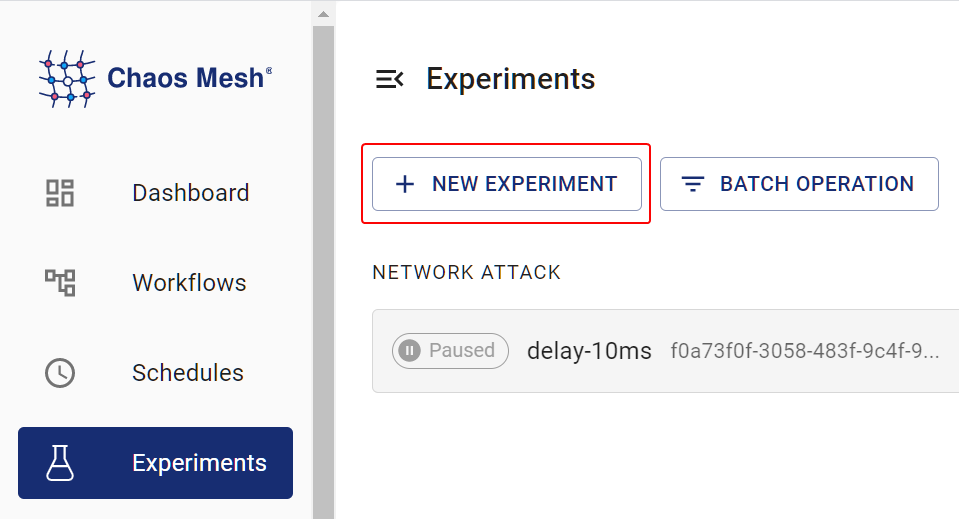
Create Experiment -
Wählen Sie im Bereich Choose a Target die Option STRESS TEST und füllen Sie die Versuchsinformationen aus. Details zu den Konfigurationsfeldern finden Sie in der Beschreibung unter [Konfigurationsbeschreibung](#fields description).
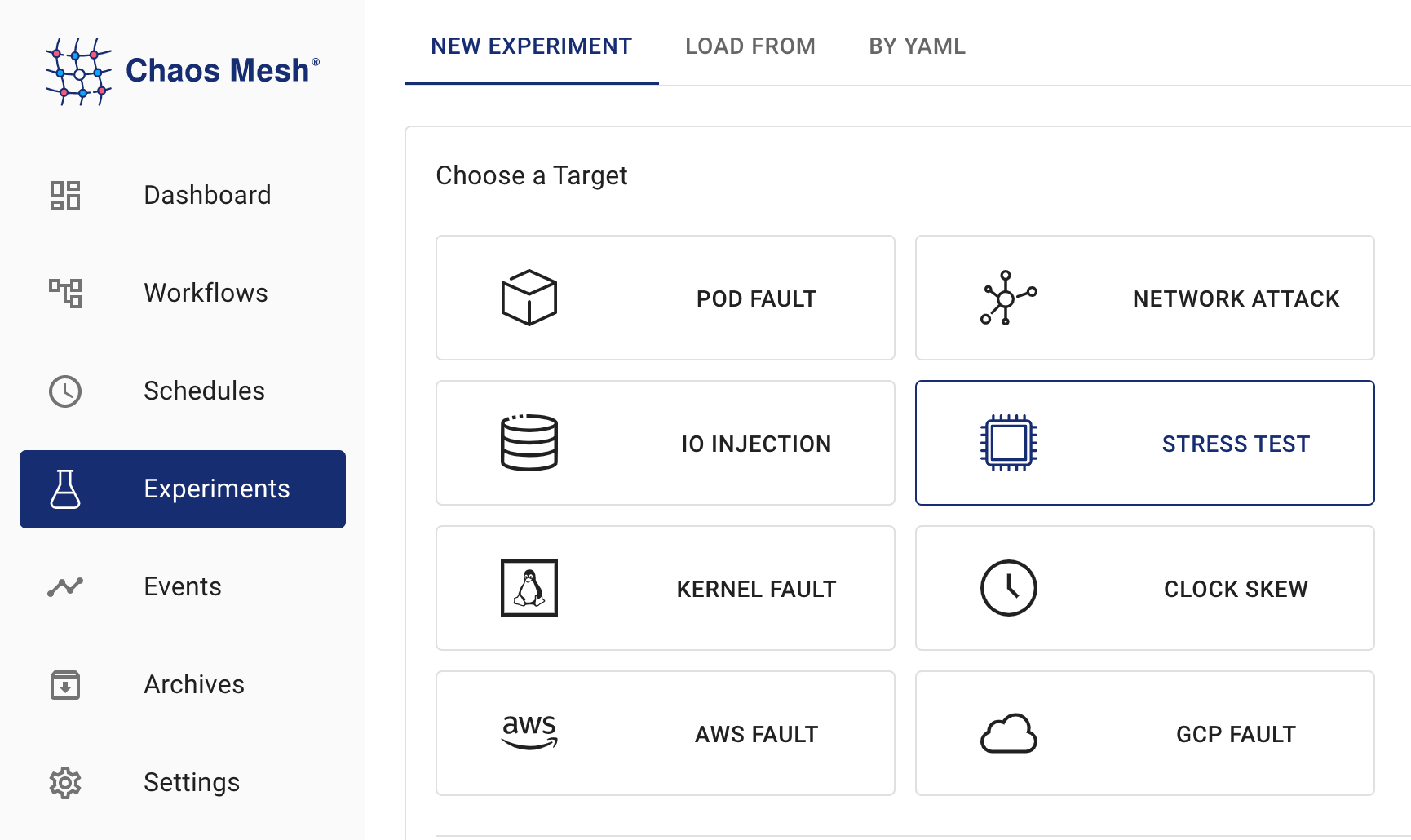
StressChaos-Experiment -
Geben Sie die Versuchsinformationen ein, legen Sie den Anwendungsbereich fest und definieren Sie die geplante Laufzeit:
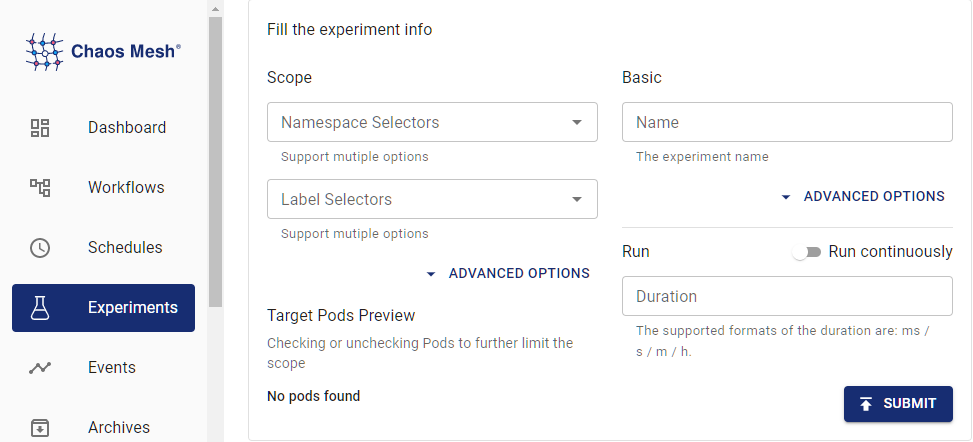
Versuchsinformationen -
Übermitteln Sie die Experimentinformationen.
Experimente mit YAML-Dateien erstellen
-
Tragen Sie die Experimentkonfiguration in eine YAML-Konfigurationsdatei ein. Im folgenden Beispiel wird die Datei
memory-stress.yamlverwendet:apiVersion: chaos-mesh.org/v1alpha1
kind: StressChaos
metadata:
name: memory-stress-example
namespace: chaos-mesh
spec:
mode: one
selector:
labelSelectors:
'app': 'app1'
stressors:
memory:
workers: 4
size: '256MB'Diese Konfiguration erzeugt einen Prozess im ausgewählten Container, der kontinuierlich Speicher allokiert sowie Lese- und Schreibzugriffe durchführt und dabei bis zu 256 MB belegt.
-
Führen Sie nach Vorbereitung der Konfigurationsdatei das Experiment mit
kubectlaus:kubectl apply -f memory-stress.yaml
Feldbeschreibung
Die Felder der YAML-Konfigurationsdatei werden in folgender Tabelle erläutert:
| Parameter | Type | Description | Default value | Required | Example |
|---|---|---|---|---|---|
| duration | string | Specifies the duration of the experiment. | None | Yes | 30s |
| stressors | Stressors | Specifies the stress of CPU or memory | None | No | |
| stressngStressors | string | Specifies the stres-ng parameter to reach richer stress injection | None | No | --clone 2 |
| mode | string | Specifies the mode of the experiment. The mode options include one (selecting a random Pod), all (selecting all eligible Pods), fixed (selecting a specified number of eligible Pods), fixed-percent (selecting a specified percentage of Pods from the eligible Pods), and random-max-percent (selecting the maximum percentage of Pods from the eligible Pods). | None | Yes | one |
| value | string | Provides a parameter for the mode configuration, depending on mode.For example, when mode is set to fixed-percent, value specifies the percentage of Pods. | None | No | 1 |
| containerNames | []string | Specifies the name of the container into which the fault is injected. | None | No | ["nginx"] |
| selector | struct | Specifies the target Pod. For details, refer to Define the Scope of Chaos Experiments. | None | Yes |
Stressoren
| Parameter | Type | Description | Default value | Required | Example |
|---|---|---|---|---|---|
| memory | MemoryStressor | Specifies the memory stress | None | No | |
| cpu | CPUStressor | Specifies the CPU stress | None | No |
MemoryStressor
| Parameter | Type | Description | Default value | Required | Example |
|---|---|---|---|---|---|
| workers | int | Specifies the number of threads that apply memory stress | No | 1 | |
| size | string | Specifies the memory size to be occupied or a percentage of the total memory size. The final sum of the occupied memory size is size. | No | 256MB / 25% | |
| time | string | Specifies the time to reach the memory size. The growth model is a linear model. | No | 10min | |
| oomScoreAdj | int | Specifies the oom_score_adj of the stress process. | No | -1000 |
Um hohe CPU-Last durch Lese-/Schreibdruck von stress-ng zu vermeiden, nutzt Chaos Mesh memStress zur Simulation von Speicherstress. Grund ist, dass memStress Speicherstress durch Verbrauch tatsächlichen Speichers simuliert statt durch Ausübung von Lese-/Schreibdruck auf den Speicher.
CPUStressor
| Parameter | Type | Description | Default value | Required | Example |
|---|---|---|---|---|---|
| workers | int | Specifies the number of threads that apply CPU stress | Yes | 1 | |
| load | int | Specifies the percentage of CPU occupied. 0 means that no additional CPU is added, and 100 refers to full load. The final sum of CPU load is workers * load. | No | 50 |