创建 Chaos Mesh 工作流
本页面由 PageTurner AI 翻译(测试版)。未经项目官方认可。 发现错误? 报告问题 →
Chaos Mesh 工作流简介
当您使用 Chaos Mesh 模拟真实系统故障时,持续验证始终是核心需求。您可能需要在 Chaos Mesh 平台上构建系列化故障场景,而非执行孤立的混沌注入。
为满足此需求,Chaos Mesh 提供了内置工作流引擎 Chaos Mesh Workflow。借助该引擎,您可以串行或并行运行不同混沌实验,模拟生产级故障场景。
目前 Chaos Mesh 工作流支持以下功能:
-
串行编排
-
并行编排
-
自定义任务
-
条件分支
典型应用场景:
-
使用并行编排注入多个 NetworkChaos 故障,模拟复杂网络环境
-
通过串行编排执行健康检查,利用条件分支决定是否执行后续步骤
Chaos Mesh 工作流的设计部分借鉴了 Argo Workflows。若您熟悉 Argo Workflows,也能快速掌握 Chaos Mesh 工作流。
更多工作流示例请参见 Chaos Mesh GitHub 仓库。
通过 Chaos Dashboard 创建工作流
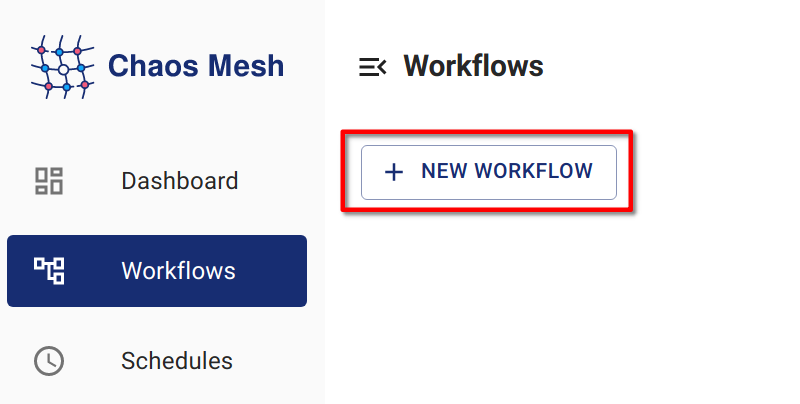
步骤 1:打开 Chaos Dashboard
点击 新建工作流。
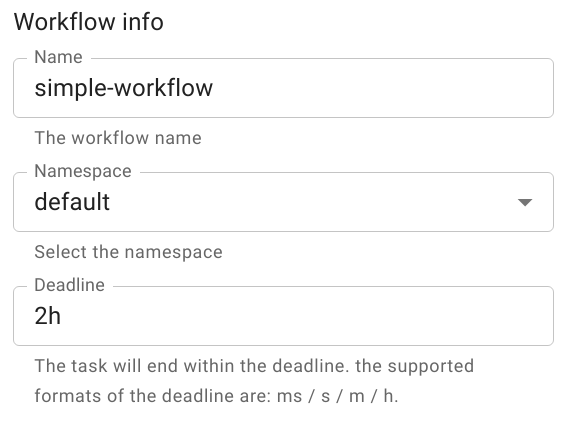
步骤 2:设置工作流基本信息
步骤 3:配置工作流节点
-
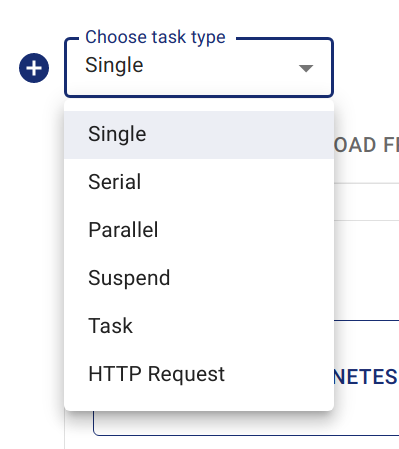
根据需求在 选择任务类型 下选择对应选项
本示例选择 "单任务"(Single)类型
备注Chaos Dashboard 会自动创建名为 "entry" 的串行节点作为工作流入口
选择任务类型 -
填写实验信息
配置方式与创建普通混沌实验相同。例如可创建名为
kill-nginx的 "POD KILL" 类型 PodChaos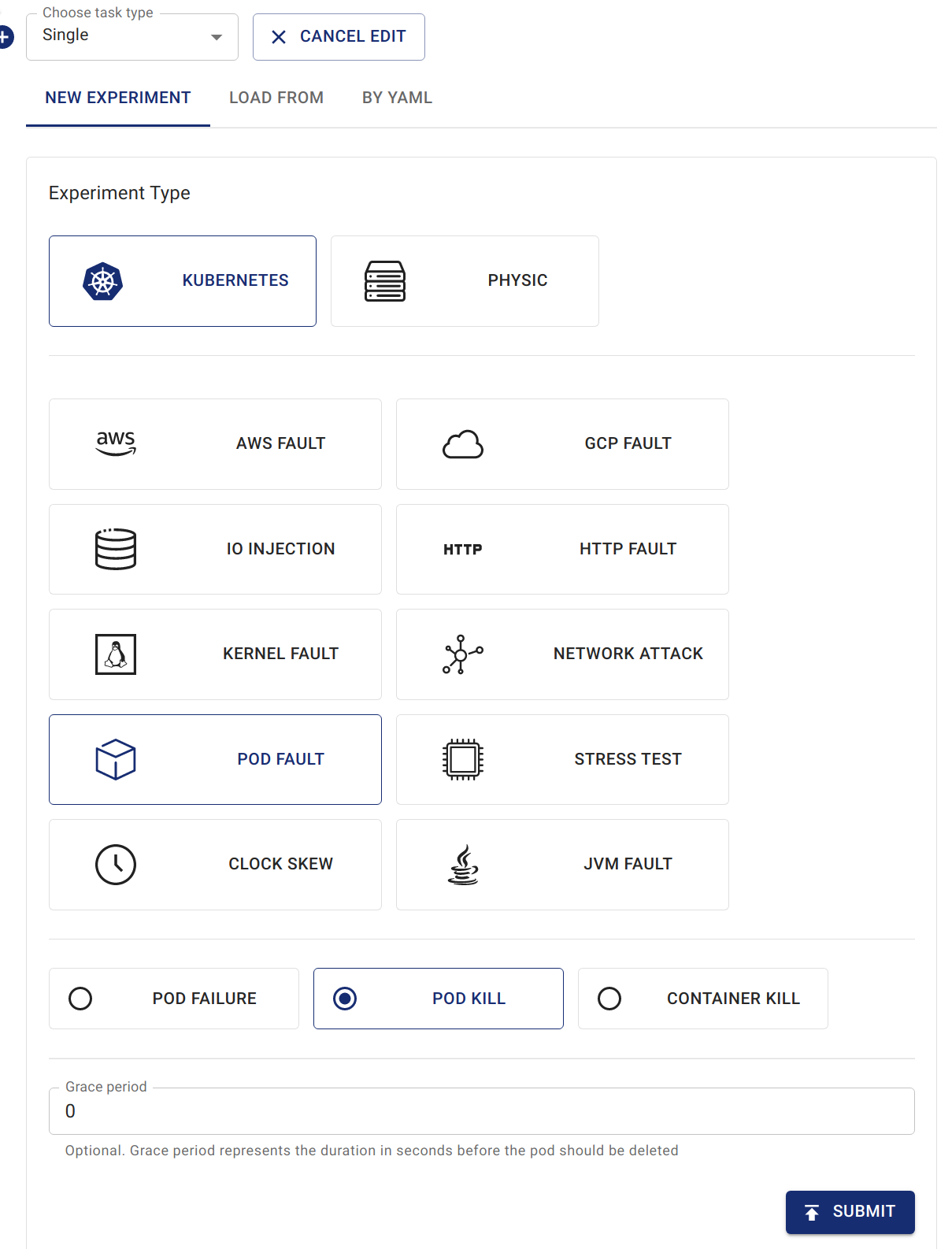
在工作流中创建 podkill
步骤 4:提交工作流
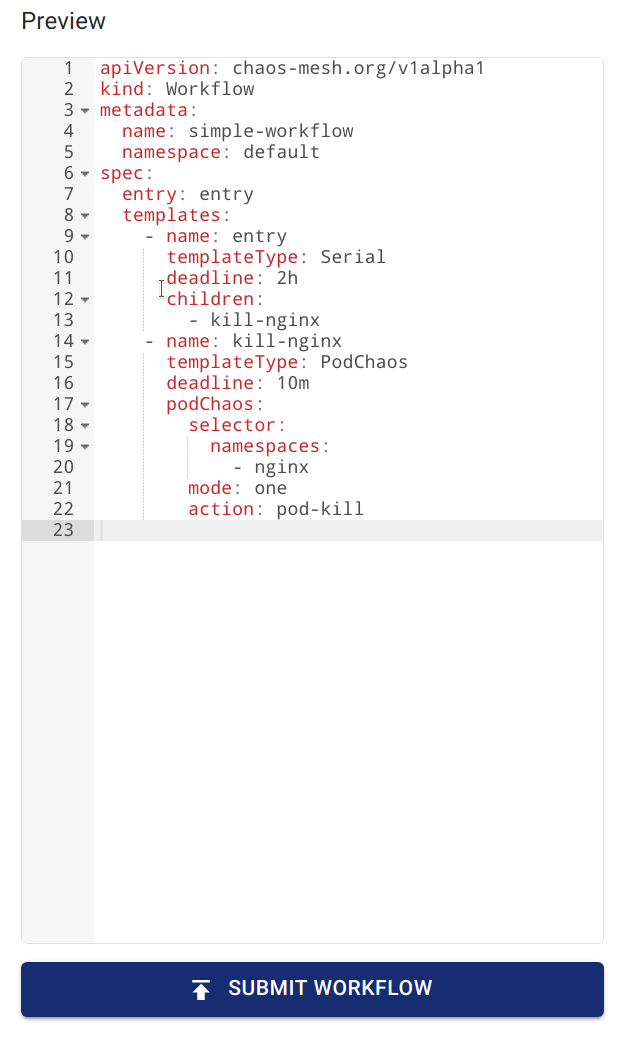
可通过 预览 查看工作流定义,随后点击 提交工作流 完成创建
通过 YAML 文件和 kubectl 创建工作流
与各类混沌对象类似,工作流在 Kubernetes 集群中以 CRD 形式存在。可通过 kubectl create -f <workflow.yaml> 创建 Chaos Mesh 工作流。以下是创建工作流的命令示例:
kubectl create -f <workflow.yaml>
使用本地 YAML 文件创建工作流:
kubectl create -f https://raw.githubusercontent.com/chaos-mesh/chaos-mesh/master/examples/workflow/serial.yaml
以下为简单工作流 YAML 文件定义,此工作流将注入 StressChaos、NetworkChaos 和 PodChaos:
apiVersion: chaos-mesh.org/v1alpha1
kind: Workflow
metadata:
  name: try-workflow-parallel
spec:
  entry: the-entry
  templates:
    - name: the-entry
      templateType: Parallel
      deadline: 240s
      children:
        - workflow-stress-chaos
        - workflow-network-chaos
        - workflow-pod-chaos-schedule
    - name: workflow-network-chaos
      templateType: NetworkChaos
      deadline: 20s
      networkChaos:
        direction: to
        action: delay
        mode: all
        selector:
          labelSelectors:
            'app': 'hello-kubernetes'
        delay:
          latency: '90ms'
          correlation: '25'
          jitter: '90ms'
    - name: workflow-pod-chaos-schedule
      templateType: Schedule
      deadline: 40s
      schedule:
        schedule: '@every 2s'
        type: 'PodChaos'
        podChaos:
          action: pod-kill
          mode: one
          selector:
            labelSelectors:
              'app': 'hello-kubernetes'
    - name: workflow-stress-chaos
      templateType: StressChaos
      deadline: 20s
      stressChaos:
        mode: one
        selector:
          labelSelectors:
            'app': 'hello-kubernetes'
        stressors:
          cpu:
            workers: 1
            load: 20
            options: ['--cpu 1', '--timeout 600']
在上述 YAML 模板中,templates 字段定义实验步骤,entry 字段定义工作流执行时的入口节点
templates 中的每个元素代表一个工作流步骤,例如:
name: the-entry
templateType: Parallel
deadline: 240s
children:
  - workflow-stress-chaos
  - workflow-network-chaos
  - workflow-pod-chaos
templateType: Parallel 表示节点类型为并行;deadline: 240s 表示此节点所有并行实验需在 240 秒内完成,否则超时;children 表示要并行执行的其他模板名称
例如:
name: workflow-pod-chaos
templateType: PodChaos
deadline: 40s
podChaos:
  action: pod-kill
  mode: one
  selector:
    labelSelectors:
      'app': 'hello-kubernetes'
templateType: PodChaos 表示该节点类型为 PodChaos 实验。deadline: 40s 表示当前混沌实验持续 40 秒。podChaos 是 PodChaos 实验的定义。
通过 YAML 文件和 kubectl 创建工作流具有高度灵活性。你可以嵌套并行或串行编排来声明复杂流程,甚至将编排与条件分支结合实现循环效果。
字段说明
工作流字段说明
| Parameter | Type | Description | Default value | Required | Example |
|---|---|---|---|---|---|
| entry | string | Declares the entry of the workflow. Its value is a name of a template. | None | Yes | |
| templates | []Template | Declares the behavior of each step executable in the workflow. See Template field description for details. | None | Yes |
模板字段说明
| Parameter | Type | Description | Default value | Required | Example |
|---|---|---|---|---|---|
| name | string | The name of the template, which needs to meet the DNS-1123 requirements. | None | Yes | any-name |
| type | string | Type of template. Value options are Task, Serial, Parallel, Suspend, Schedule, AWSChaos, DNSChaos, GCPChaos, HTTPChaos, IOChaos, JVMChaos, KernelChaos, NetworkChaos, PodChaos, StressChaos, and TimeChaos, StatusCheck. | None | Yes | PodChaos |
| deadline | string | The duration of the template. | None | No | '5m30s' |
| children | []string | Declares the subtasks under this template. You need to configure this field when the type is Serial or Parallel. | None | No | ["any-chaos-1", "another-serial-2", "any-shcedue"] |
| task | Task | Configures the customized task. You need to configure this field when the type is Task. See the Task field description for details. | None | No | |
| conditionalBranches | []ConditionalBranch | Configures the conditional branch which executes after customized task. You need to configure this field when the type is Task. See the Conditional branch field description for details. | None | No | |
| awsChaos | object | Configures AWSChaos. You need to configure this field when the type is AWSChaos. See the Simulate AWS Faults document for details. | None | No | |
| dnsChaos | object | Configures DNSChaos. You need to configure this field when the type is DNSChaos. See the Simulate DNS Faults document for details. | None | No | |
| gcpChaos | object | Configures GCPChaos. You need to configure this field when the type is GCPChaos.See the Simulation GCP Faults document for details. | None | No | |
| httpChaos | object | Configures HTTPChaos. You need to configure this field when the type is HTTPChaos. See the Simulate HTTP Faults document for details. | None | No | |
| ioChaos | object | Configure IOChaos. You need to configure this field when the type is IOChaos. See the Simulate File I/O Faults document for details. | None | No | |
| jvmChaos | object | Configures JVMChaos. You need to configure this field when the type is JVMChaos. See the Simulate JVM Application Faults document for details. | None | No | |
| kernelChaos | object | Configure KernelChaos. You need to configure this field when the type is KernelChaos. See the Simulate Kernel Faults document for details. | None | No | |
| networkChaos | object | Configures NetworkChaos. You need to configure this field when the type is NetworkChaos. See the Simulate Network Faults document for details. | None | No | |
| podChaos | object | Configures PodChaos. You need to configure this field when the type is PodChaos. See the Simulate Pod Faults document for details. | None | No | |
| stressChaos | object | Configures StressChaos. You need to configure this field when the type is StressChaos. See the Simulate Heavy Stress on Kubernetes document for details. | None | No | |
| timeChaos | object | Configures TimeChaos. You need to configure this field when the type is TimeChaos. See the SImulate Time Faults document for details. | None | No | |
| schedule | object | Configures Schedule. You need to configure this field when the type is Schedule. See the Define Scheduling Rules document for details. | None | No | |
| statusCheck | object | Configures StatusCheck. You need to configure this field when the type is StatusCheck. See the StatusCheck in Workflow document for details. | None | No | |
| abortWithStatusCheck | bool | Configures whether abort the Workflow when StatusCheck is failed. You can configure this field when the type is StatusCheck. | false | No | true |
在工作流中创建带持续时间的混沌实验时,需要在外部 deadline 字段填写持续时间,而非使用 Chaos 实验内的 duration 字段。
任务字段说明
| Parameter | Type | Description | Default value | Required | Example |
|---|---|---|---|---|---|
| container | object | Defines a customized task container. See Container field description for details. | None | No | |
| volumes | array | If you need to mount a volume in a customized task container, you need to declare the volume in this field. For the detailed definition of a volume, see the Kubernetes documentation - corev1.Volume. | None | No |
条件分支字段说明
| Parameter | Type | Description | Default value | Required | Example |
|---|---|---|---|---|---|
| target | string | The name of the template to be executed by the current conditional branch. | None | Yes | another-chaos |
| expression | string | The type is a boolean expression. When a customized task is completed and the expression value is true, the current condition branch is executed. When this value is not set, the conditional branch will be executed directly after the customized task is completed. | None | No | exitCode == 0 |
当前 expression 表达式提供两个上下文变量:
-
exitCode表示自定义任务的退出码 -
stdout表示自定义任务的标准输出
更多上下文变量将在后续版本中添加
参考此文档编写 expression 表达式
容器字段说明
下表仅列出常用字段,更多字段定义请参阅 Kubernetes 文档 - core1.Container
| Parameter | Type | Description | Default value | Required | Example |
|---|---|---|---|---|---|
| name | string | Container name | None | Yes | task |
| image | string | Image name | None | Yes | busybox:latest |
| command | []string | Container commands | None | No | ["wget", "-q", "http://httpbin.org/status/201"] |