串行与并行实验
本页面由 PageTurner AI 翻译(测试版)。未经项目官方认可。 发现错误? 报告问题 →
Chaos Mesh Workflow 提供两种实验调度方式:串行和并行。您可以根据需要配置并调度多个实验。
-
如需按顺序调度多个混沌实验,请使用串行节点。
-
如需同时执行多个混沌实验,请使用并行节点。
Chaos Mesh 在设计串行和并行节点时采用了组合模式。该模式可包含不同类型的多个节点,并以特定方式运行组合节点。这意味着您可以通过嵌套串行和并行节点实现复杂的调度逻辑。
串行实验
在 Workflow 中创建 templates 时,使用 templateType: Serial 声明串行节点。
串行节点的另一个必填字段是 children,其类型为 []string,值为其他 template 的名称。例如:
apiVersion: chaos-mesh.org/v1alpha1
kind: Workflow
metadata:
  name: try-workflow-serial
spec:
  entry: serial-of-3-node
  templates:
    - name: serial-of-3-node
      templateType: Serial
      deadline: 240s
      children:
        - workflow-stress-chaos
        - suspending
        - workflow-network-chaos
    - name: suspending
      templateType: Suspend
      deadline: 10s
    - name: workflow-network-chaos
      templateType: NetworkChaos
      deadline: 20s
      networkChaos:
        direction: to
        action: delay
        mode: all
        selector:
          labelSelectors:
            'app': 'hello-kubernetes'
        delay:
          latency: '90ms'
          correlation: '25'
          jitter: '90ms'
    - name: workflow-stress-chaos
      templateType: StressChaos
      deadline: 20s
      stressChaos:
        mode: one
        selector:
          labelSelectors:
            'app': 'hello-kubernetes'
        stressors:
          cpu:
            workers: 1
            load: 20
            options: ['--cpu 1', '--timeout 600']
上述命令声明了名为 serial-of-3-node 的串行节点,表示 Chaos Mesh 将依次执行 workflow-stress-chaos、suspending 和 workflow-network-chaos。所有任务完成后,串行节点标记为已完成。
Chaos Mesh 执行串行节点时,children 中声明的任务将按顺序运行,确保同时只有一个任务处于执行状态。
串行节点中的 deadline 字段为可选参数,用于限制整个串行过程的最长持续时间。超时后,正在运行的子节点将被停止,未执行的节点不再执行。若所有子节点均在 deadline 前完成,串行节点立即标记为完成且 deadline 不受影响。
并行实验
在 Workflow 中创建 templates 时,使用 templateType: Parallel 声明并行节点。
并行节点的另一个必填字段是 children,其类型为 []string,值为其他 template 的名称。例如:
apiVersion: chaos-mesh.org/v1alpha1
kind: Workflow
metadata:
  name: try-workflow-parallel
spec:
  entry: parallel-of-2-chaos
  templates:
    - name: parallel-of-2-chaos
      templateType: Parallel
      deadline: 240s
      children:
        - workflow-stress-chaos
        - workflow-network-chaos
    - name: workflow-network-chaos
      templateType: NetworkChaos
      deadline: 20s
      networkChaos:
        direction: to
        action: delay
        mode: all
        selector:
          labelSelectors:
            'app': 'hello-kubernetes'
        delay:
          latency: '90ms'
          correlation: '25'
          jitter: '90ms'
    - name: workflow-stress-chaos
      templateType: StressChaos
      deadline: 20s
      stressChaos:
        mode: one
        selector:
          labelSelectors:
            'app': 'hello-kubernetes'
        stressors:
          cpu:
            workers: 1
            load: 20
            options: ['--cpu 1', '--timeout 600']
上述命令声明了名为 parallel-of-2-chaos 的并行节点,表示 Chaos Mesh 将同时执行 workflow-stress-chaos 和 workflow-network-chaos。所有任务完成后,并行节点标记为已完成。
Chaos Mesh 执行并行节点时,children 中声明的所有任务将同时执行。
与串行节点类似,并行节点也可选配 deadline 字段限制整个并行过程的最长执行时间。超时后子节点将被停止。若所有子节点均在 deadline 时间前完成,并行节点立即标记为完成且 deadline 不受影响。
使用 Chaos Dashboard 创建含串行/并行节点的工作流
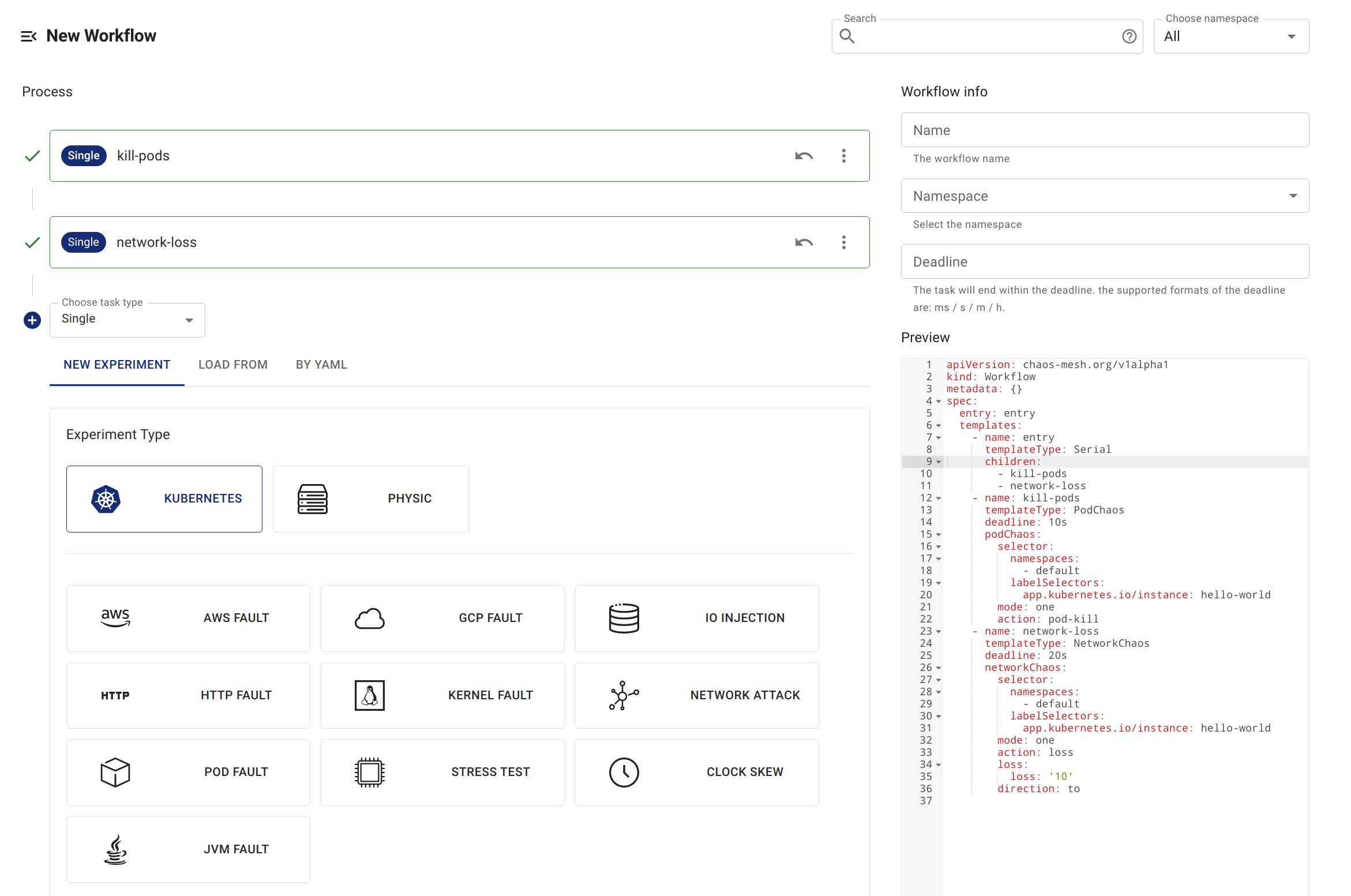
创建串行节点
Chaos Dashboard 预置了名为 entry 的串行节点。因此通过仪表板创建含串行节点的工作流时,默认会在 entry 节点下创建。
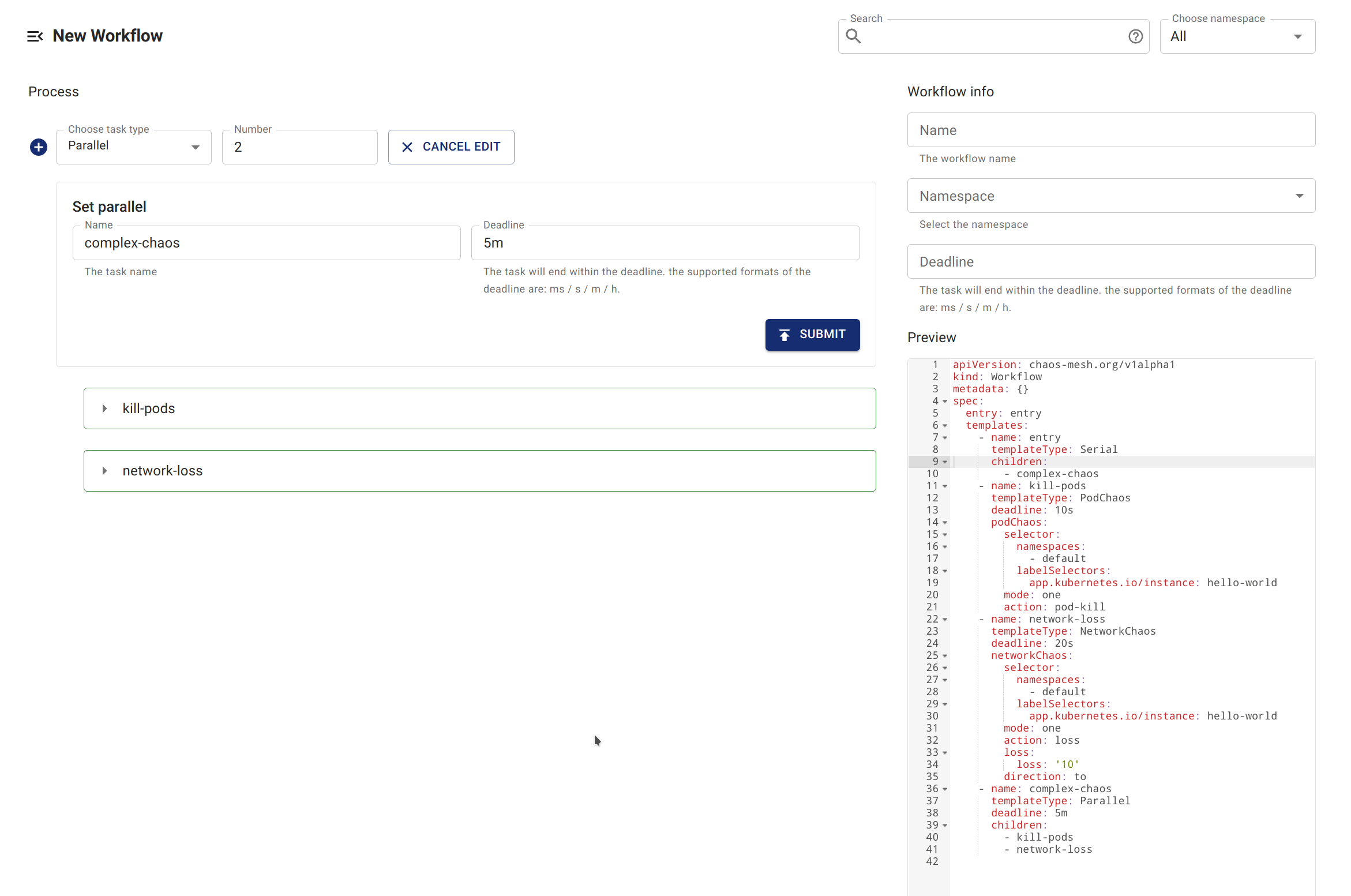
创建并行节点
您可以创建名为 Parallel 的并行节点,并在 Parallel 节点下创建子节点。
嵌套串行与并行节点
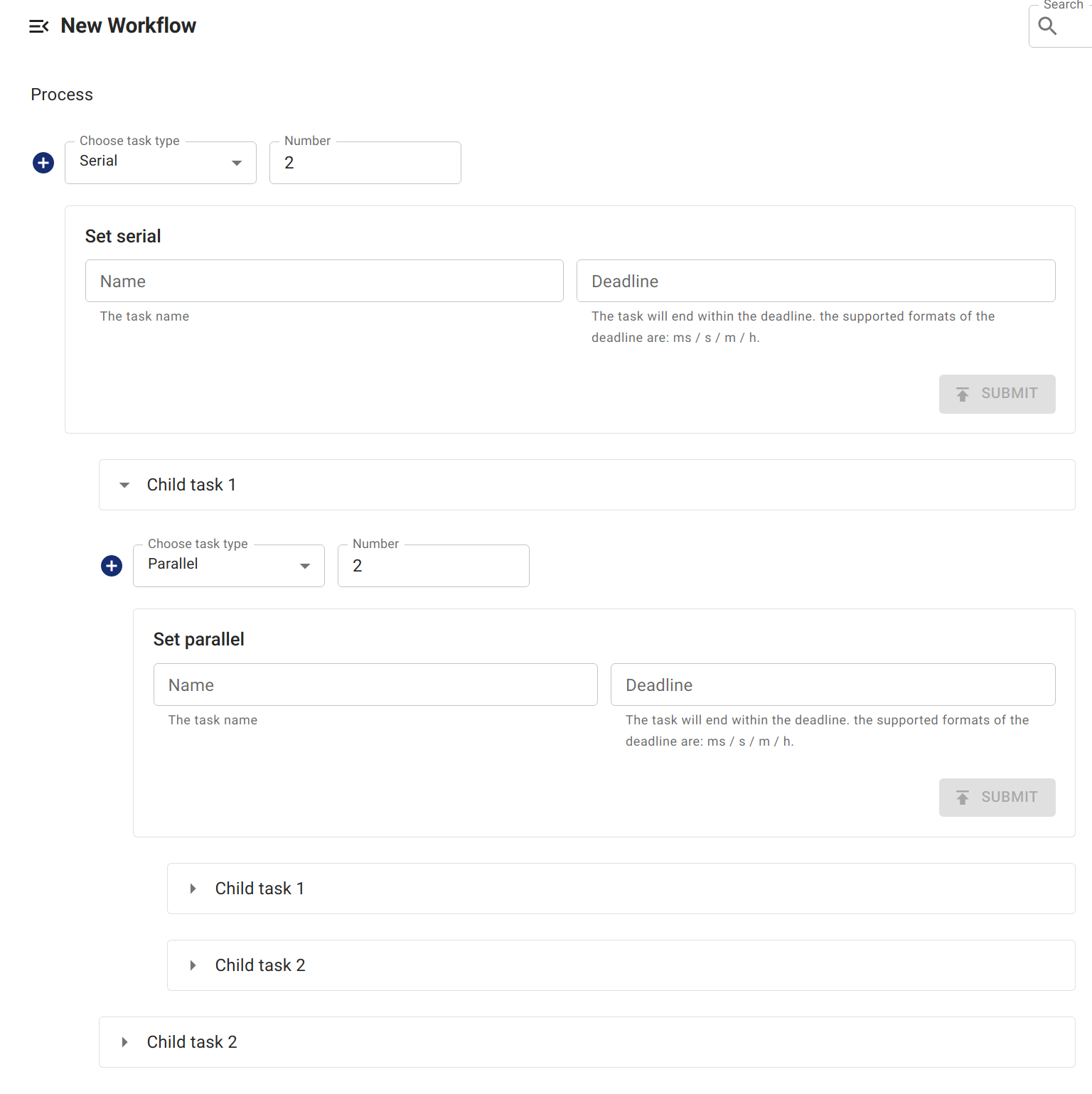
您可以通过嵌套串行和并行节点构建更复杂的流程。