模拟 DNS 故障
本页面由 PageTurner AI 翻译(测试版)。未经项目官方认可。 发现错误? 报告问题 →
本文档介绍如何在 Chaos Mesh 中创建 DNSChaos 实验以模拟 DNS 故障。
要模拟 DNS 故障,您需要部署名为 Chaos DNS Server 的特殊 DNS 服务。
从 v2.6 版本起,Chaos Mesh 默认部署 Chaos DNS Server。若无需模拟 DNS 故障,可在安装时设置 dnsServer.create 为 false:
DNSChaos 简介
DNSChaos 用于模拟错误的 DNS 响应。例如,收到 DNS 请求时,DNSChaos 可返回错误或随机 IP 地址。
检查 Chaos DNS Server 部署状态
执行以下命令检查 Chaos DNS Server 是否已部署:
kubectl get pods -n chaos-mesh -l app.kubernetes.io/component=chaos-dns-server
请确保 Pod 状态为 Running。
注意事项
-
当前 DNSChaos 仅支持
A和AAAA记录类型。 -
混沌 DNS 服务运行带 k8s_dns_chaos 插件的 CoreDNS。若 Kubernetes 集群中的 CoreDNS 服务包含特殊配置,可通过以下命令编辑 configMap
dns-server-config使混沌 DNS 服务配置与 K8s CoreDNS 保持一致:kubectl edit configmap dns-server-config -n chaos-mesh
使用 Chaos Dashboard 创建实验
-
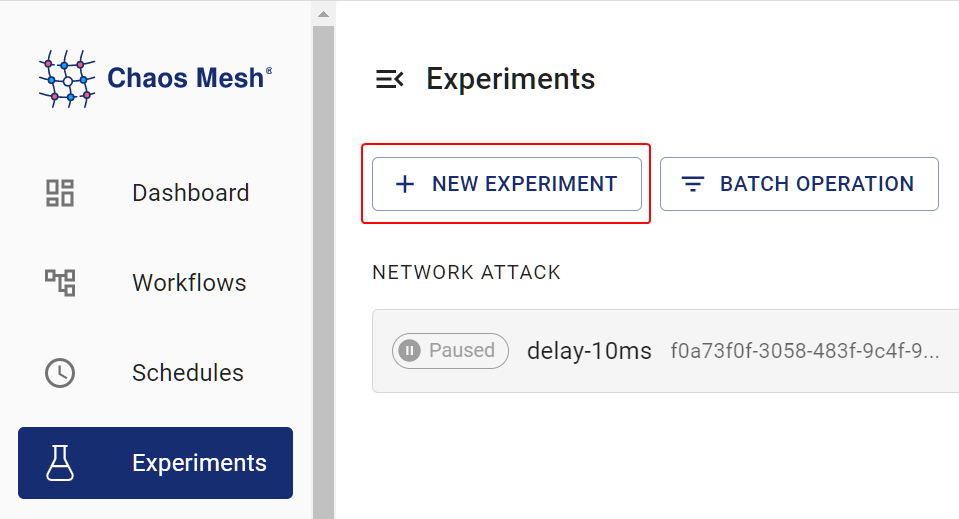
打开 Chaos Dashboard,点击页面上的 新建实验 创建新实验:
Create Experiment -
在 选择目标 区域选择 DNS 故障 并指定行为(如 错误),随后填写匹配规则:
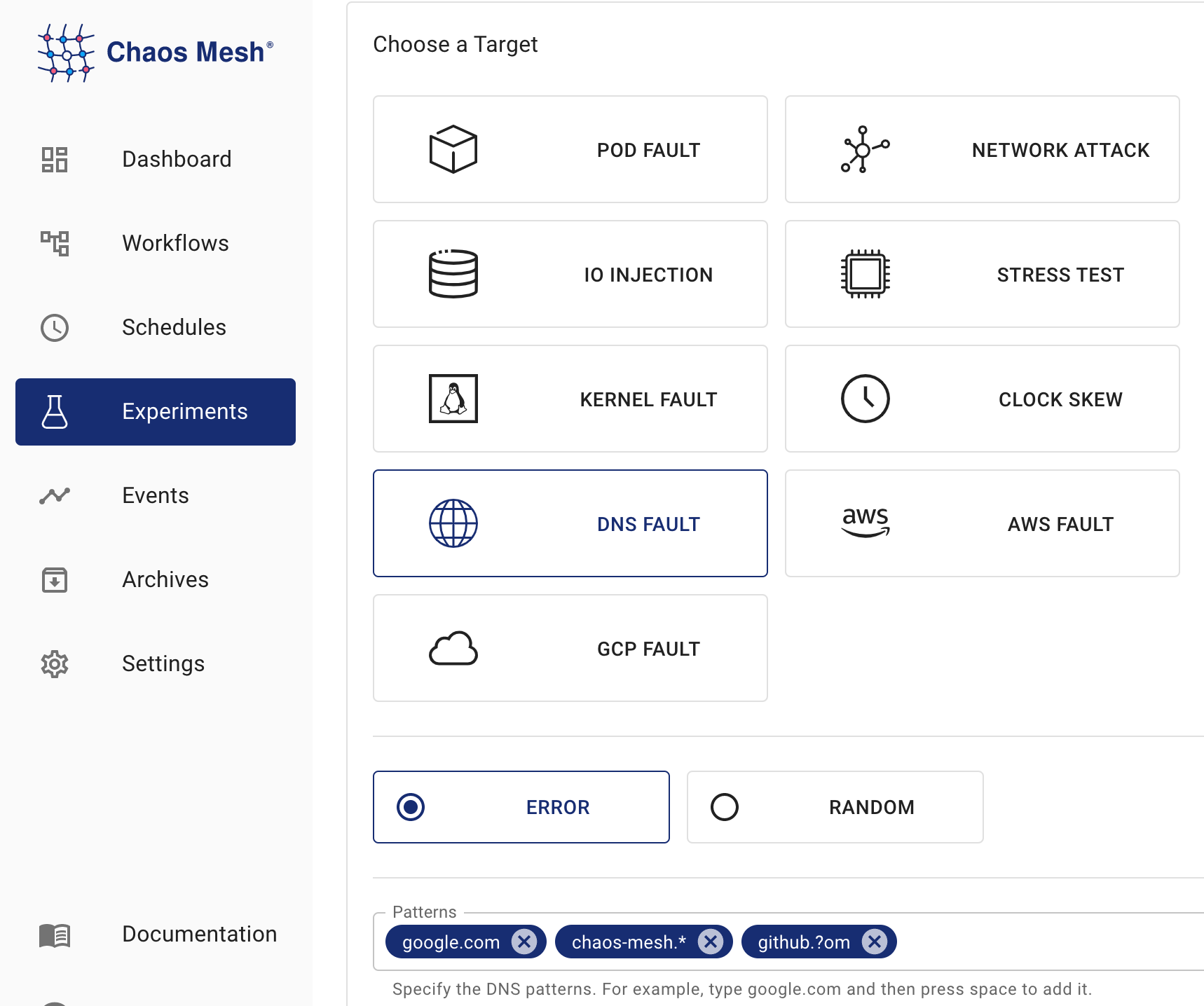
DNSChaos 实验 根据截图配置的匹配规则,DNS 故障将对
google.com、chaos-mesh.org和github.com等域名生效,即向这三个域名发送 DNS 请求时将返回错误。具体匹配规则详见配置说明中patterns字段描述。 -
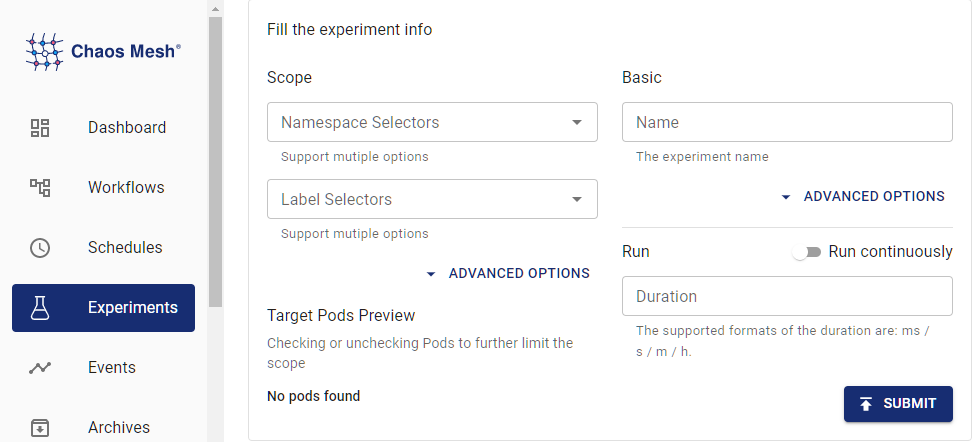
填写实验信息,并指定实验范围和计划的实验持续时间:
实验信息 -
提交实验信息。
使用 YAML 文件创建实验
-
将实验配置写入
dnschaos.yaml文件:apiVersion: chaos-mesh.org/v1alpha1
kind: DNSChaos
metadata:
name: dns-chaos-example
namespace: chaos-mesh
spec:
action: random
mode: all
patterns:
- google.com
- chaos-mesh.*
- github.?om
selector:
namespaces:
- busybox此配置将对
google.com、chaos-mesh.org和github.com等域名生效,即向这三个域名发送 DNS 请求时将返回 IP 地址。具体匹配规则详见配置说明中的patterns描述。 -
配置文件就绪后,使用
kubectl创建实验:kubectl apply -f dnschaos.yaml
配置说明
| Parameter | Type | Description | Default value | Required | Example |
|---|---|---|---|---|---|
action | string | Defines the behavior of DNS fault. Optional values: random or error. When the value is random, DNS service returns a random IP address; when the value is error, DNS service returns an error. | None | Yes | random or error |
patterns | String array | Selects a domain template that matches faults. Placeholder ? and wildcard are supported. * | [] | No | google.com, chaos-mesh.org, github.com |
mode | string | Specifies the mode of the experiment. The mode options include one (selecting a random Pod), all (selecting all eligible Pods), fixed (selecting a specified number of eligible Pods), fixed-percent (selecting a specified percentage of Pods from the eligible Pods), and random-max-percent (selecting the maximum percentage of Pods from the eligible Pods). | None | Yes | one |
value | string | Provides parameters for the mode configuration, depending on mode. For example, when mode is set to fixed-percent, value specifies the percentage of Pods. | None | No | 1 |
selector | struct | Specifies the target Pod. For details, refer to Define the Scope of Chaos Experiments. | None | Yes |
-
patterns配置中的通配符必须位于字符串末尾。例如chaos-mes*.org.为无效配置 -
未配置
patterns时,故障将对所有域名生效