模拟压力场景
非官方测试版翻译
本页面由 PageTurner AI 翻译(测试版)。未经项目官方认可。 发现错误? 报告问题 →
StressChaos 介绍
Chaos Mesh 提供 StressChaos 实验来模拟容器内的压力场景。本文档介绍如何创建 StressChaos 实验以及如何准备相应的配置文件。
您可以使用 Chaos Dashboard 或 YAML 配置文件两种方式来创建实验。
使用 Chaos Dashboard 创建实验
-
打开 Chaos Dashboard,点击页面上的 新建实验 创建新实验:
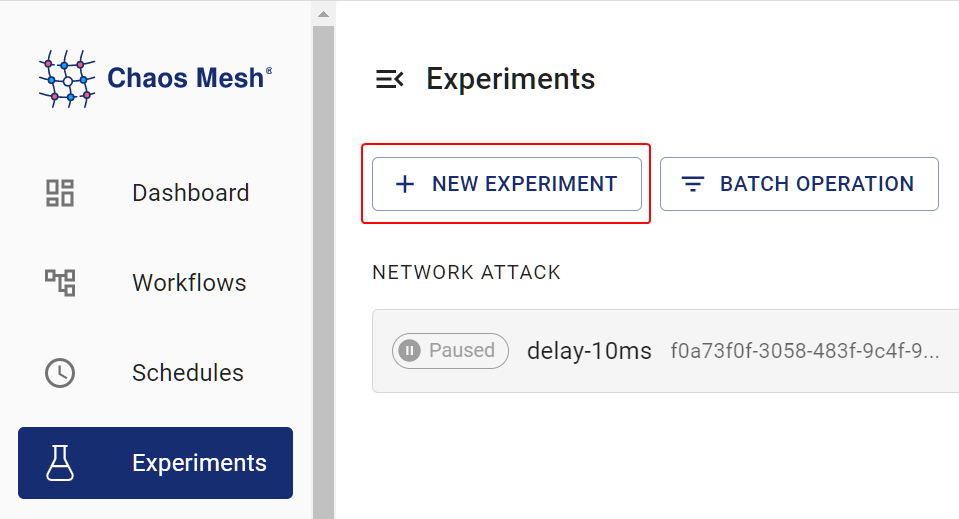
Create Experiment -
在 选择目标 区域,选择 压力测试 并填写实验信息。具体配置字段请参考 [字段说明](#fields description) 中的描述。
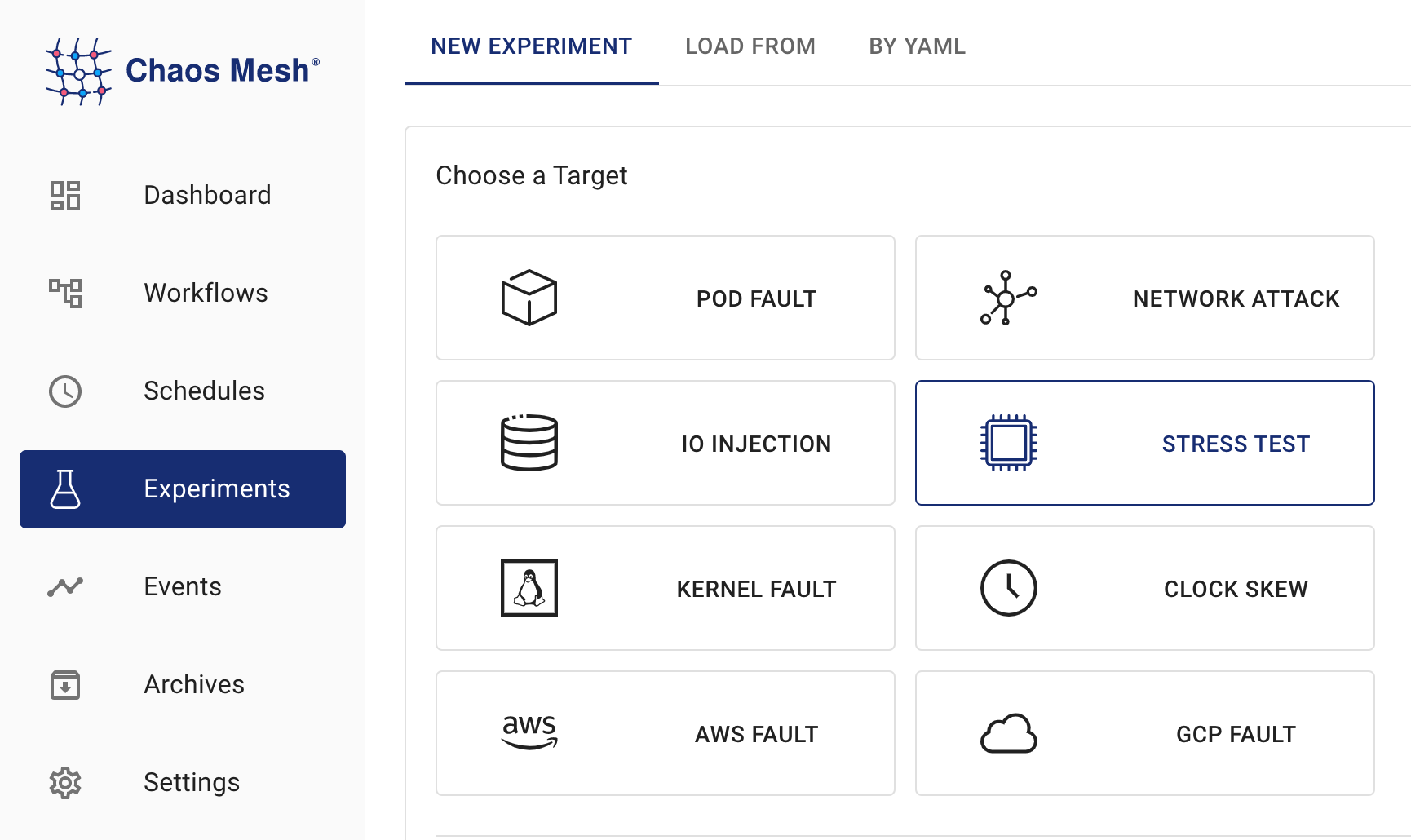
StressChaos 实验 -
填写实验信息,并指定实验范围和计划的实验持续时间:
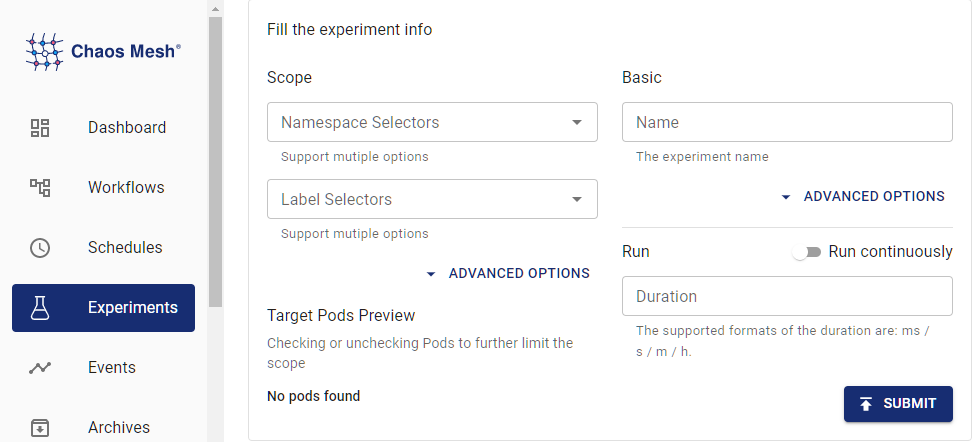
实验信息 -
提交实验信息。
使用 YAML 文件创建实验
-
将实验配置写入 YAML 配置文件。以下示例使用
memory-stress.yaml文件:apiVersion: chaos-mesh.org/v1alpha1
kind: StressChaos
metadata:
name: memory-stress-example
namespace: chaos-mesh
spec:
mode: one
selector:
labelSelectors:
'app': 'app1'
stressors:
memory:
workers: 4
size: '256MB'此实验配置将在选定的容器中创建一个进程,持续分配和读写内存,最多占用 256MB 内存。
-
配置文件准备好后,使用
kubectl创建实验:kubectl apply -f memory-stress.yaml
字段说明
YAML 配置文件中的字段如下表所述:
| Parameter | Type | Description | Default value | Required | Example |
|---|---|---|---|---|---|
| duration | string | Specifies the duration of the experiment. | None | Yes | 30s |
| stressors | Stressors | Specifies the stress of CPU or memory | None | No | |
| stressngStressors | string | Specifies the stres-ng parameter to reach richer stress injection | None | No | --clone 2 |
| mode | string | Specifies the mode of the experiment. The mode options include one (selecting a random Pod), all (selecting all eligible Pods), fixed (selecting a specified number of eligible Pods), fixed-percent (selecting a specified percentage of Pods from the eligible Pods), and random-max-percent (selecting the maximum percentage of Pods from the eligible Pods). | None | Yes | one |
| value | string | Provides a parameter for the mode configuration, depending on mode.For example, when mode is set to fixed-percent, value specifies the percentage of Pods. | None | No | 1 |
| containerNames | []string | Specifies the name of the container into which the fault is injected. | None | No | ["nginx"] |
| selector | struct | Specifies the target Pod. For details, refer to Define the Scope of Chaos Experiments. | None | Yes |
压力源
| Parameter | Type | Description | Default value | Required | Example |
|---|---|---|---|---|---|
| memory | MemoryStressor | Specifies the memory stress | None | No | |
| cpu | CPUStressor | Specifies the CPU stress | None | No |
内存压力源
| Parameter | Type | Description | Default value | Required | Example |
|---|---|---|---|---|---|
| workers | int | Specifies the number of threads that apply memory stress | No | 1 | |
| size | string | Specifies the memory size to be occupied or a percentage of the total memory size. The final sum of the occupied memory size is size. | No | 256MB / 25% | |
| time | string | Specifies the time to reach the memory size. The growth model is a linear model. | No | 10min | |
| oomScoreAdj | int | Specifies the oom_score_adj of the stress process. | No | -1000 |
备注
为避免 stress-ng 的读写压力导致的高 CPU 负载,Chaos Mesh 使用 memStress 来模拟内存压力。这是因为 memStress 通过消耗实际内存来模拟内存压力,而不是对内存施加读写压力。
CPU 压力源
| Parameter | Type | Description | Default value | Required | Example |
|---|---|---|---|---|---|
| workers | int | Specifies the number of threads that apply CPU stress | Yes | 1 | |
| load | int | Specifies the percentage of CPU occupied. 0 means that no additional CPU is added, and 100 refers to full load. The final sum of CPU load is workers * load. | No | 50 |