模拟文件 I/O 故障
本页面由 PageTurner AI 翻译(测试版)。未经项目官方认可。 发现错误? 报告问题 →
本文档介绍如何在 Chaos Mesh 中创建 IOChaos 实验。
IOChaos 介绍
IOChaos 是 Chaos Mesh 中的一种故障类型。通过创建 IOChaos 实验,你可以模拟文件系统故障场景。目前,IOChaos 支持以下故障类型:
-
latency:延迟文件系统调用 -
fault:为文件系统调用返回错误 -
attrOverride:修改文件属性 -
mistake:使文件读取或写入错误的值
具体功能请参阅使用 YAML 文件创建实验。
注意事项
-
创建 IOChaos 实验前,请确保目标 Pod 上没有运行 Chaos Mesh 的 Control Manager。
-
IOChaos 可能会损坏你的数据。在生产环境中使用 IOChaos 时请务必谨慎。
使用 Chaos Dashboard 创建实验
-
打开 Chaos Dashboard,点击页面上的 新建实验 来创建新实验:
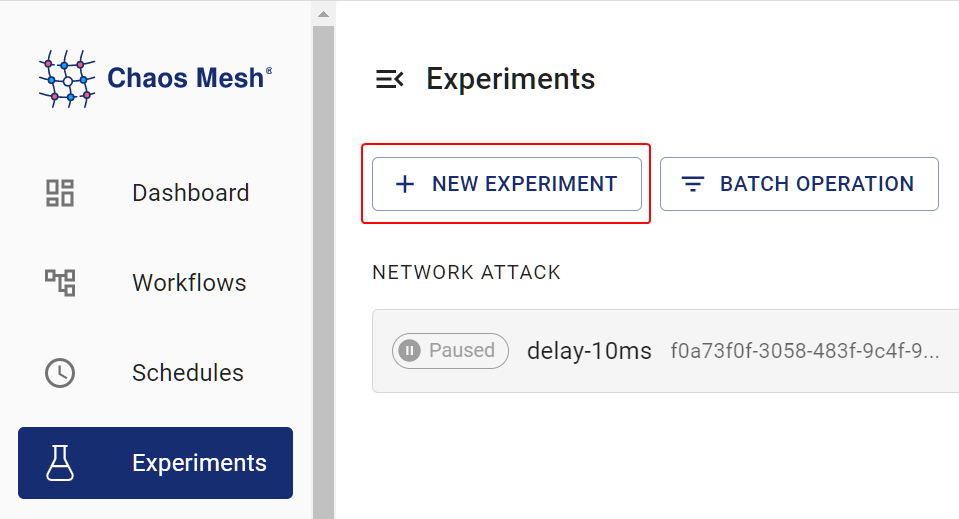
Create a New Experiment -
在 选择目标 区域,选择 文件系统注入,然后选择具体的故障类型,例如 延迟:
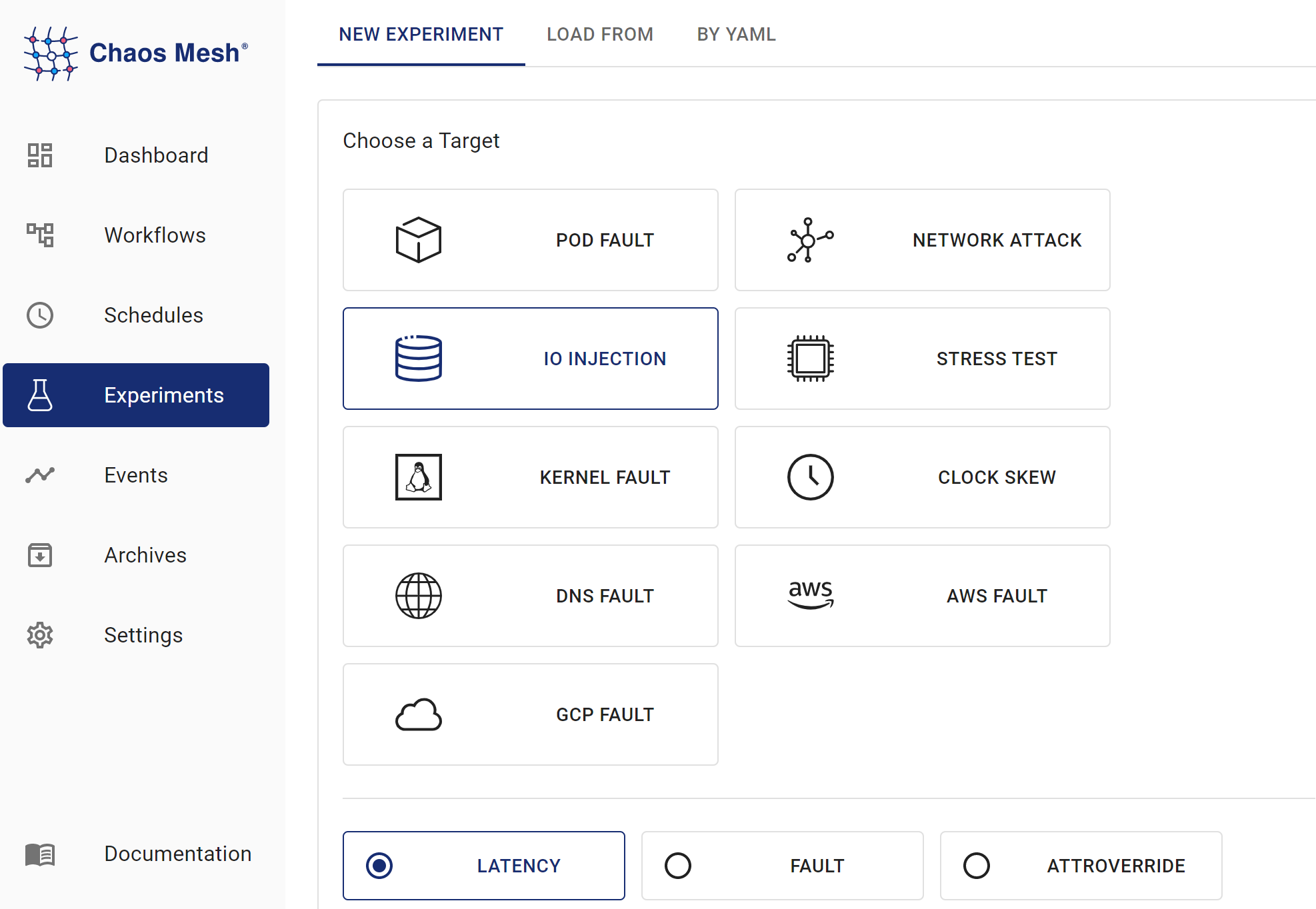
ioChaos Experiments -
填写实验信息,指定实验范围和计划持续时间:
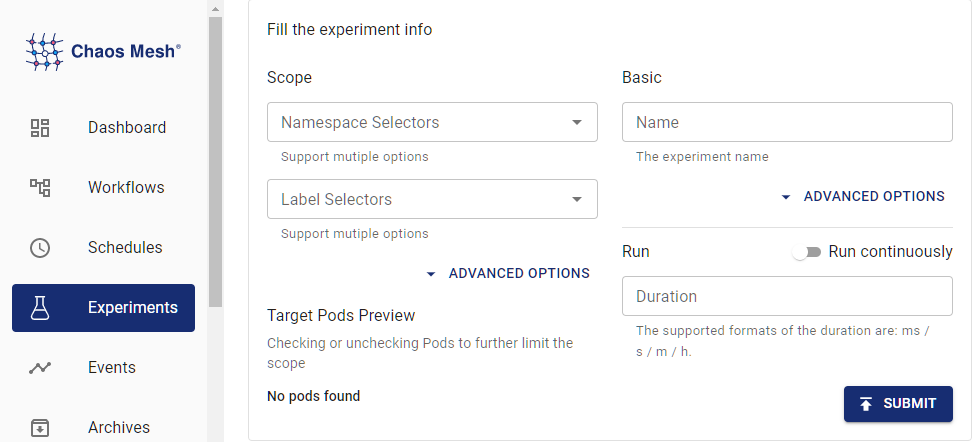
Experiment Information -
提交实验信息。
使用 YAML 文件创建实验
延迟示例
-
将实验配置写入
io-latency.yaml文件,如下所示:apiVersion: chaos-mesh.org/v1alpha1
kind: IOChaos
metadata:
name: io-latency-example
namespace: chaos-mesh
spec:
action: latency
mode: one
selector:
labelSelectors:
app: etcd
volumePath: /var/run/etcd
path: '/var/run/etcd/**/*'
delay: '100ms'
percent: 50
duration: '400s'在此配置示例中,Chaos Mesh 向目录
/var/run/etcd注入延迟,导致该目录下的所有文件系统操作(包括读取、写入、列出内容等)产生 100 毫秒的延迟。 -
配置文件准备就绪后,使用
kubectl创建实验:kubectl apply -f ./io-latency.yaml
错误示例
-
将实验配置写入
io-fault.yaml文件,如下所示:apiVersion: chaos-mesh.org/v1alpha1
kind: IOChaos
metadata:
name: io-fault-example
namespace: chaos-mesh
spec:
action: fault
mode: one
selector:
labelSelectors:
app: etcd
volumePath: /var/run/etcd
path: /var/run/etcd/**/*
errno: 5
percent: 50
duration: '400s'在此示例中,Chaos Mesh 向目录
/var/run/etcd注入文件故障,导致该目录下的所有文件系统操作有 50% 的概率失败,并返回错误码 5(输入/输出错误)。 -
配置文件准备就绪后,使用
kubectl创建实验:kubectl apply -f ./io-fault.yaml
attrOverride 示例
-
将实验配置写入
io-attr.yaml文件:apiVersion: chaos-mesh.org/v1alpha1
kind: IOChaos
metadata:
name: io-attr-example
namespace: chaos-mesh
spec:
action: attrOverride
mode: one
selector:
labelSelectors:
app: etcd
volumePath: /var/run/etcd
path: /var/run/etcd/**/*
attr:
perm: 72
percent: 10
duration: '400s'在此配置示例中,Chaos Mesh 向
/var/run/etcd目录注入attrOverride故障,使该目录下所有文件系统操作有 10% 概率将目标文件权限更改为 72(八进制 110),这意味着文件仅允许所有者和所属组执行,其他操作均无权限。 -
配置文件准备就绪后,使用
kubectl创建实验:kubectl apply -f ./io-attr.yaml
数据篡改示例
-
将实验配置写入
io-mistake.yaml文件:apiVersion: chaos-mesh.org/v1alpha1
kind: IOChaos
metadata:
name: io-mistake-example
namespace: chaos-mesh
spec:
action: mistake
mode: one
selector:
labelSelectors:
app: etcd
volumePath: /var/run/etcd
path: /var/run/etcd/**/*
mistake:
filling: zero
maxOccurrences: 1
maxLength: 10
methods:
- READ
- WRITE
percent: 10
duration: '400s'在此配置示例中,Chaos Mesh 向
/var/run/etcd目录注入读写故障,使该目录下的读写操作有 10% 概率失败。故障触发时,系统会将随机一个位置(最长 10 字节)替换为零字节。 -
配置文件准备就绪后,使用
kubectl创建实验:kubectl apply -f ./io-mistake.yaml
字段说明
通用字段
| Parameter | Type | Description | Default value | Required | Example |
|---|---|---|---|---|---|
| action | string | Indicates the specific type of faults. Only latency, fault, attrOverride, and mistake are supported. | Yes | latency | |
| mode | string | Specifies the mode of the experiment. The mode options include one (selecting a Pod at random), all (selecting all eligible Pods), fixed (selecting a specified number of eligible Pods), fixed-percent (selecting a specified percentage of the eligible Pods), and random-max-percent (selecting the maximum percentage of the eligible Pods). | None | Yes | one |
| selector | struct | Specifies the target Pod. For details, refer to Define the experiment scope. | None | Yes | |
| value | string | Provides parameters for the mode configuration, depending on mode. For example, when mode is set to fixed-percent, value specifies the percentage of Pods. | No | 1 | |
| volumePath | string | The mount point of volume in the target container. Must be the root directory of the mount. | Yes | /var/run/etcd | |
| path | string | The valid range of fault injections, either a wildcard or a single file. | Valid for all files by default | No | /var/run/etcd/*/ |
| methods | []string | Type of the file system call that requires injecting fault. For more information about supported types, refer to [Appendix A](#appendix-a: methods-type). | All Types | No | READ |
| percent | int | Probability of failure per operation, in %. | 100 | No | 100 |
| containerNames | []string | Specifies the name of the container into which the fault is injected. | No | ||
| duration | string | Specifies the duration of the experiment. | Yes | 30s |
动作相关字段
以下是各动作对应字段的详细信息:
-
latency
参数 类型 说明 默认值 必填 示例 delay string 指定的延迟时间 是 100 ms -
fault
参数 类型 说明 默认值 必填 示例 errno int 返回的错误代码 是 22 常见错误代码请参阅附录 B。
-
attrOverride
参数 类型 描述 默认值 必填 示例 attr AttrOverrideSpec 具体属性覆写规则 是 如下所示 AttrOverrideSpec 定义如下:
参数 类型 描述 默认值 必填 示例 ino int ino 编号 否 size int 文件大小 否 blocks int 文件占用的块数 否 atime TimeSpec 最后访问时间 否 mtime TimeSpec 最后修改时间 否 ctime TimeSpec 最后状态变更时间 否 kind string 文件类型(参考fuser::FileType) 否 perm int 文件权限(十进制表示) 否 72(八进制为110) nlink int 硬链接数量 否 uidint 所有者用户ID 否 gid int 所有者组ID 否 rdev int 设备ID 否 TimeSpec 定义如下:
参数 类型 描述 默认值 必填 示例 sec int 时间戳(秒) 否 nsec int 时间戳(纳秒) 否 参数具体含义可参考 man stat。
-
mistake
参数 类型 描述 默认值 必填 示例 mistake MistakeSpec 具体错误规则 是 MistakeSpec 定义如下:
参数 类型 描述 默认值 必填 示例 filling string 填充的错误数据(仅支持 zero 填充0 或 random 填充随机字节) 是 maxOccurrences int 每次操作的最大错误次数 是 1 maxLength int 每次错误的最大长度(字节) 是 1
::warning 建议仅在 READ 和 WRITE 文件系统调用中使用 mistake 功能。在其他文件系统调用中使用可能导致意外后果,包括但不限于文件系统损坏和程序崩溃。 :::
本地调试
如果不确定某个混沌实验的效果,可以使用 toda 在本地测试功能。Chaos Mesh 同样使用 toda 实现 IOChaos。
附录 A:方法类型
-
lookup
-
forget
-
getattr
-
setattr
-
readlink
-
mknod
-
mkdir
-
unlink
-
rmdir
-
symlink
-
rename
-
link
-
open
-
read
-
write
-
flush
-
release
-
fsync
-
opendir
-
readdir
-
releasedir
-
fsyncdir
-
statfs
-
setxattr
-
getxattr
-
listxattr
-
removexatr
-
access
-
create
-
getlk
-
setlk
-
bmap
更多信息,请参考 fuser::Filesystem。
附录 B:常见错误号
-
1: 操作不允许
-
2: 没有那个文件或目录
-
5: I/O 错误
-
6: 没有那个设备或地址
-
12: 内存不足
-
16: 设备或资源忙
-
17: 文件已存在
-
20: 不是目录
-
22: 无效参数
-
24: 打开文件过多
-
28: 设备无剩余空间
更多信息,请参考 Linux 源代码。