模拟 GCP 故障
本页面由 PageTurner AI 翻译(测试版)。未经项目官方认可。 发现错误? 报告问题 →
本文档介绍如何使用 Chaos Mesh 向 GCP Pod 注入故障,提供通过 Chaos Dashboard 和 YAML 文件创建 GCPChaos 实验的方法。
GCPChaos 介绍
GCPChaos 是 Chaos Mesh 中的一种故障类型。通过创建 GCPChaos 实验,您可以模拟指定 GCP 实例的故障场景。目前支持以下故障类型:
-
节点停机 (Node Stop):停止指定 GCP 实例。
-
节点重启 (Node Reset):重启指定 GCP 实例。
-
磁盘卸载 (Disk Loss):从指定 GCP 实例卸载存储卷。
Secret 文件
为简化 GCP 集群连接,您可预先创建 Kubernetes Secret 文件存储认证信息。
以下为 secret 文件示例:
apiVersion: v1
kind: Secret
metadata:
  name: cloud-key-secret
  namespace: chaos-mesh
type: Opaque
stringData:
  service_account: your-gcp-service-account-base64-encode
-
name:定义 Kubernetes Secret 的名称。
-
namespace:定义 Kubernetes Secret 的命名空间。
-
service_account:存储 GCP 集群的服务账号密钥。请务必将 GCP 服务账号密钥进行 Base64 编码。详细了解服务账号密钥,请参阅创建和管理服务账号密钥。
使用 Chaos Dashboard 创建实验
使用 Chaos Dashboard 前请确保满足以下条件:
-
已安装 Chaos Dashboard
-
可通过
kubectl port-forward访问控制台:kubectl port-forward -n chaos-mesh svc/chaos-dashboard 2333:2333随后在浏览器中访问
http://localhost:2333
-
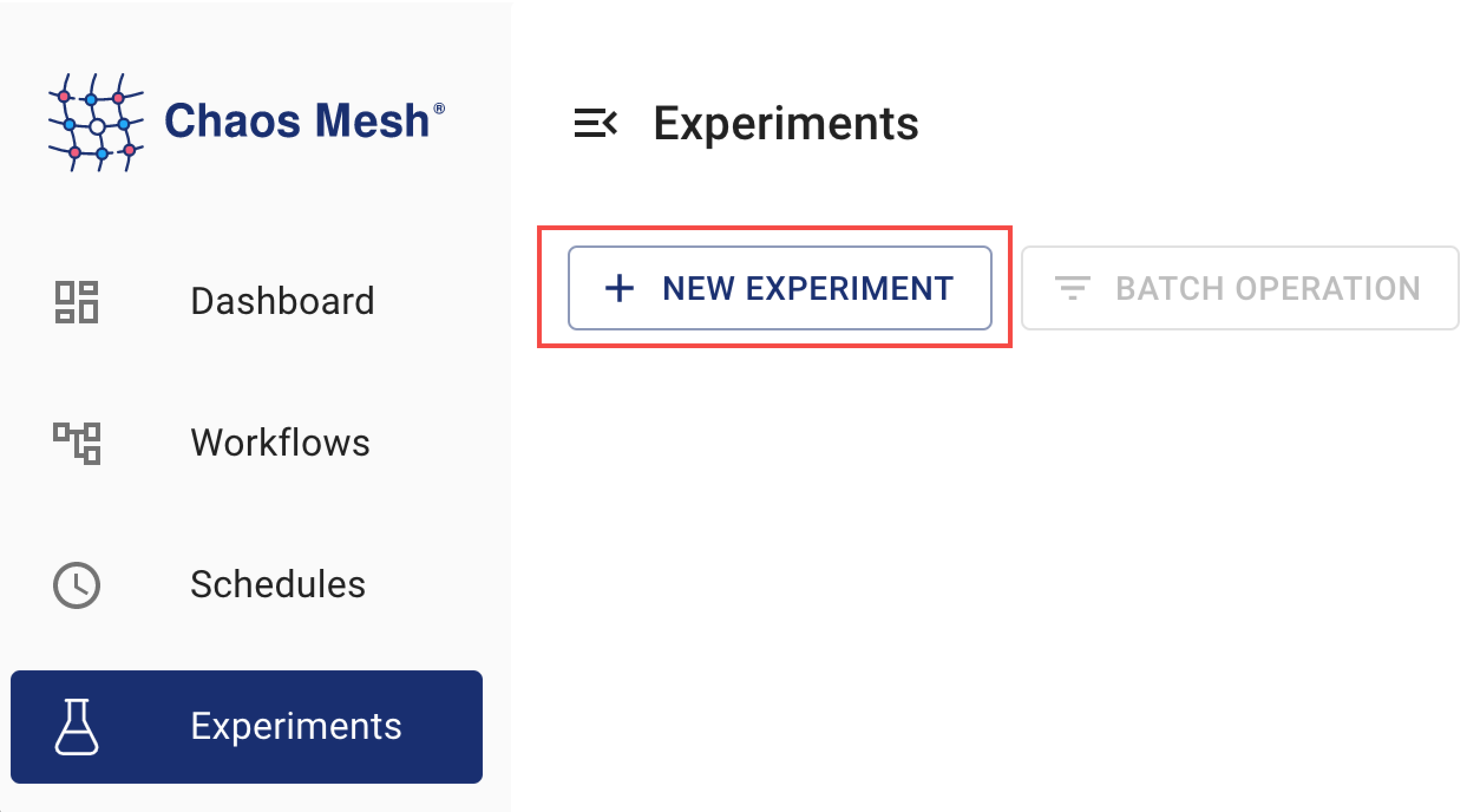
打开 Chaos Dashboard,点击 新建实验 按钮:
img -
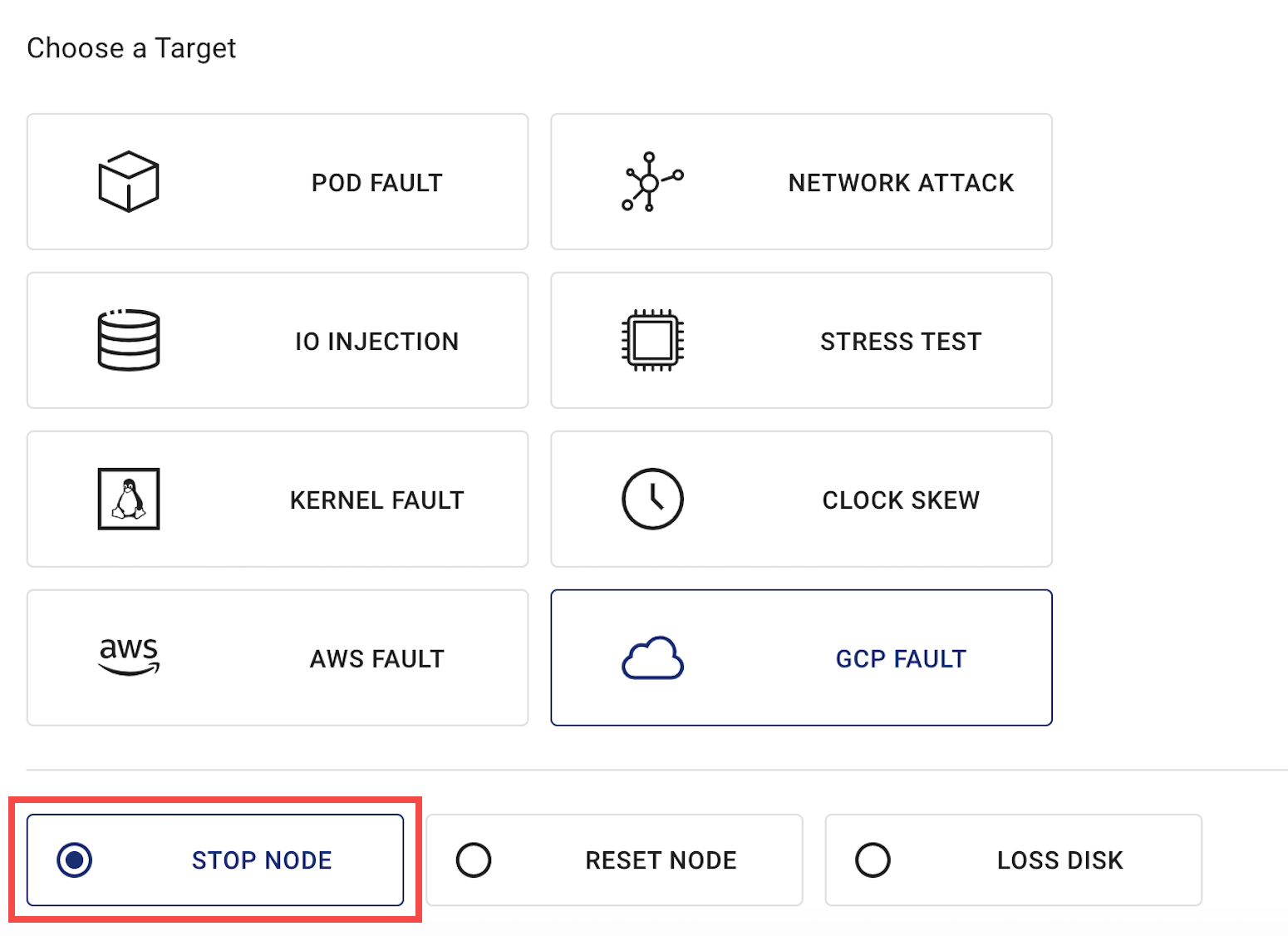
在 选择目标 区域,选择 GCP 故障 并指定操作类型(如 停止节点):
img -
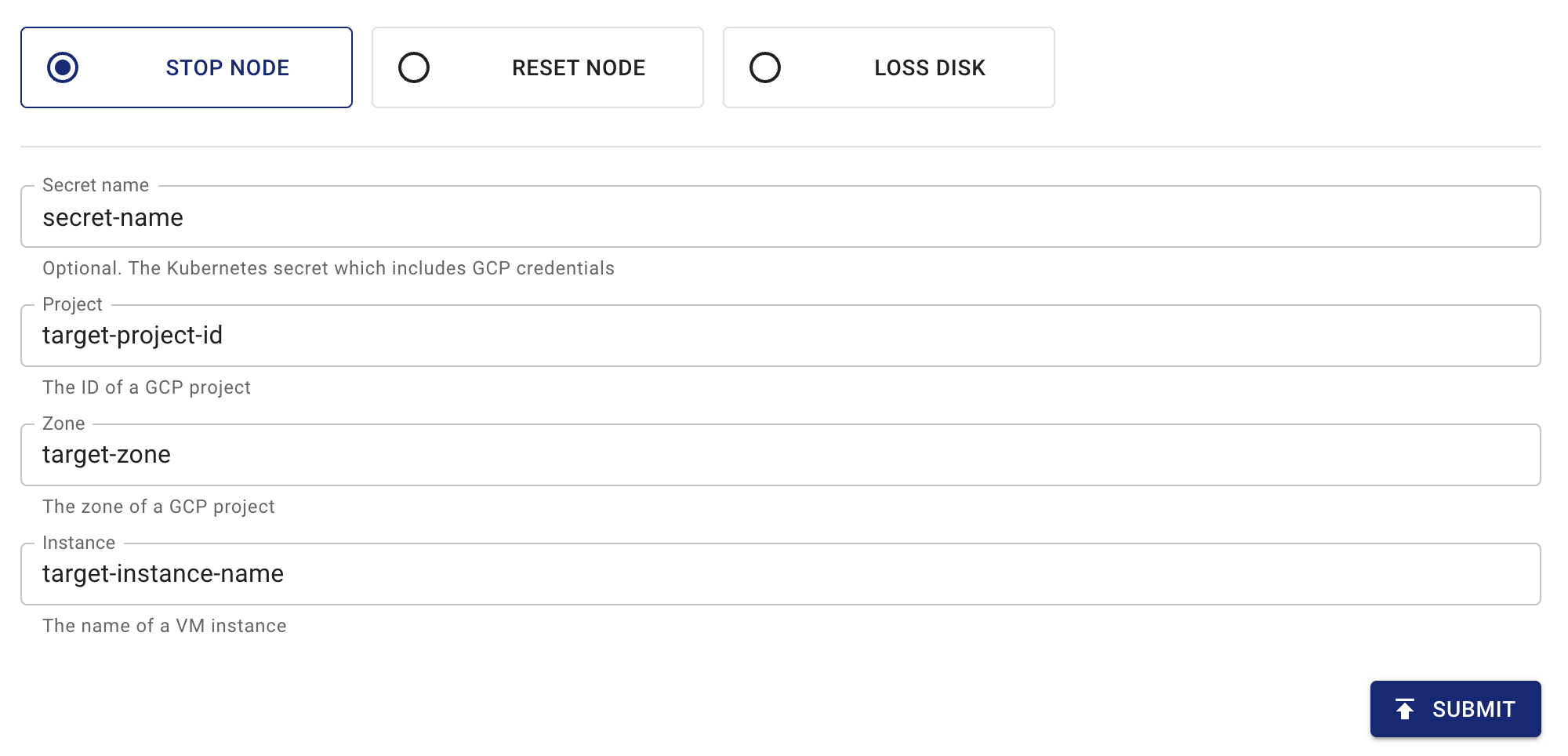
填写实验信息,指定实验范围和计划持续时间:
img 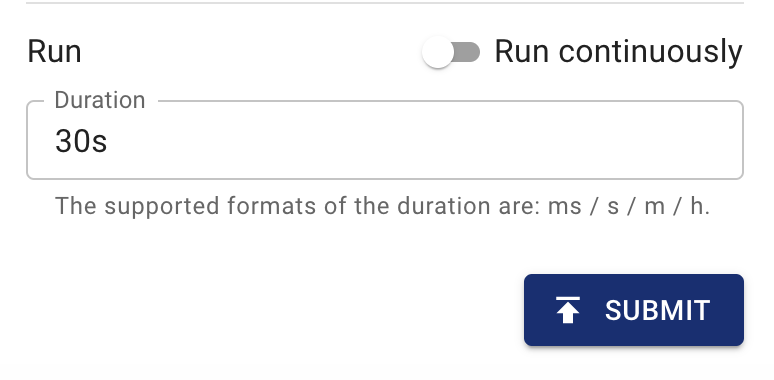
img -
提交实验信息。
通过 YAML 文件创建实验
node-stop 配置示例
-
将以下实验配置写入
gcpchaos-node-stop.yaml文件:apiVersion: chaos-mesh.org/v1alpha1
kind: GCPChaos
metadata:
name: node-stop-example
namespace: chaos-mesh
spec:
action: node-stop
secretName: 'cloud-key-secret'
project: 'your-project-id'
zone: 'your-zone'
instance: 'your-instance-name'
duration: '5m'通过此配置示例,Chaos Mesh 将向指定 GCP 实例注入
node-stop故障,使该实例在 5 分钟内不可用。有关停止 GCP 实例的详细信息,请参阅停止 GCP 实例。
-
配置文件就绪后,使用
kubectl创建实验:kubectl apply -f gcpchaos-node-stop.yaml
node-reset 配置示例
-
将实验配置写入
gcpchaos-node-reset.yaml文件,示例如下:apiVersion: chaos-mesh.org/v1alpha1
kind: GCPChaos
metadata:
name: node-reset-example
namespace: chaos-mesh
spec:
action: node-reset
secretName: 'cloud-key-secret'
project: 'your-project-id'
zone: 'your-zone'
instance: 'your-instance-name'
duration: '5m'根据此配置示例,Chaos Mesh 将向指定 GCP 实例注入
node-reset故障,使该实例执行重置操作。更多关于重置 GCP 实例的信息,请参考 重置 GCP 实例。
-
配置文件准备完成后,使用
kubectl创建实验:kubectl apply -f gcpchaos-node-reset.yaml
disk-loss 配置示例
-
将实验配置写入
gcpchaos-disk-loss.yaml文件,示例如下:apiVersion: chaos-mesh.org/v1alpha1
kind: GCPChaos
metadata:
name: disk-loss-example
namespace: chaos-mesh
spec:
action: disk-loss
secretName: 'cloud-key-secret'
project: 'your-project-id'
zone: 'your-zone'
instance: 'your-instance-name'
deviceNames: ['disk-name']
duration: '5m'根据此配置示例,Chaos Mesh 将在 5 分钟内向指定 GCP 实例注入
disk-loss故障,使该实例与指定存储卷分离。更多关于卸载 GCP 存储的信息,请参考 卸载 GCP 存储卷。
-
配置文件准备完成后,使用
kubectl创建实验:kubectl apply -f gcpchaos-disk-loss.yaml
字段说明
下表展示了 YAML 配置文件中的字段。
| Parameter | Type | Descpription | Default value | Required | Example |
|---|---|---|---|---|---|
| action | string | Indicates the specific type of faults. The available fault types include node-stop, node-reset, and disk-loss. | node-stop | Yes | node-stop |
| mode | string | Indicates the mode of the experiment. The mode options include one (selecting a Pod at random), all (selecting all eligible Pods), fixed (selecting a specified number of eligible Pods), fixed-percent (selecting a specified percentage of the eligible Pods), and random-max-percent (selecting the maximum percentage of the eligible Pods). | None | Yes | one |
| value | string | Provides parameters for the mode configuration, depending on mode. For example, when mode is set to fixed-percent, value specifies the percentage of pods. | None | No | 1 |
| secretName | string | Indicates the name of the Kubernetes secret that stores the GCP authentication information. | None | No | cloud-key-secret |
| project | string | Indicates the ID of GCP project. | None | Yes | real-testing-project |
| zone | string | Indicates the region of GCP instance. | None | Yes | us-central1-a |
| instance | string | Indicates the name of GCP instance. | None | Yes | gke-xxx-cluster--default-pool-xxx-yyy |
| deviceNames | []string | This is a required field when the action is disk-loss. This field specifies the machine disk ID. | None | no | ["your-disk-id"] |
| duration | string | Indicates the duration of the experiment. | None | Yes | 30s |