模拟 JVM 应用故障
本页面由 PageTurner AI 翻译(测试版)。未经项目官方认可。 发现错误? 报告问题 →
Chaos Mesh 通过 Byteman 模拟 JVM 应用的故障,支持以下故障类型:
-
抛出自定义异常
-
触发垃圾回收
-
增加方法延迟
-
修改方法返回值
-
通过 Byteman 配置文件触发故障
-
增加 JVM 压力
本文介绍如何使用 Chaos Mesh 创建上述类型的 JVM 故障实验。
您的 Linux 内核版本必须为 v4.1 或更高版本。
使用 Chaos Dashboard 创建实验
-
打开 Chaos Dashboard,点击页面上的 NEW EXPERIMENT 创建新实验。
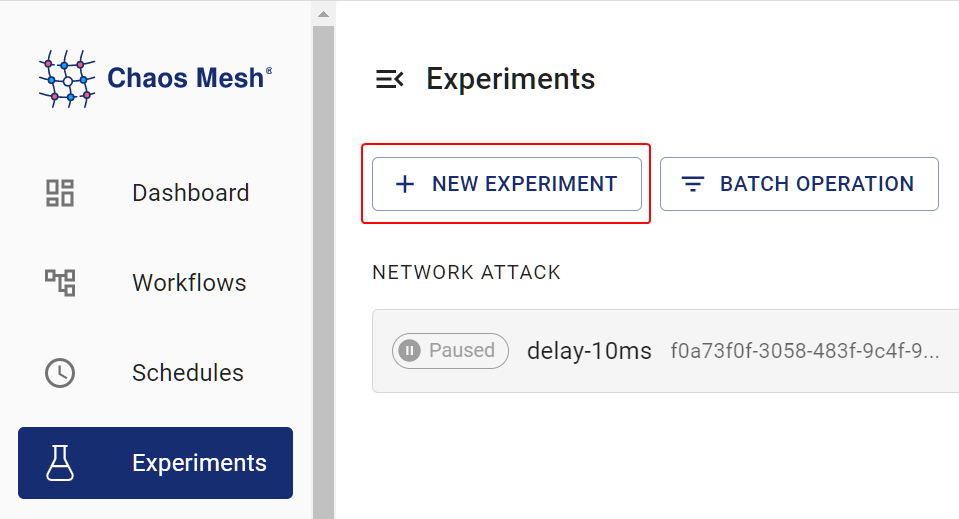
创建新实验 -
在 选择目标 区域选择 JVM 故障,并指定具体行为(如
RETURN),然后填写详细配置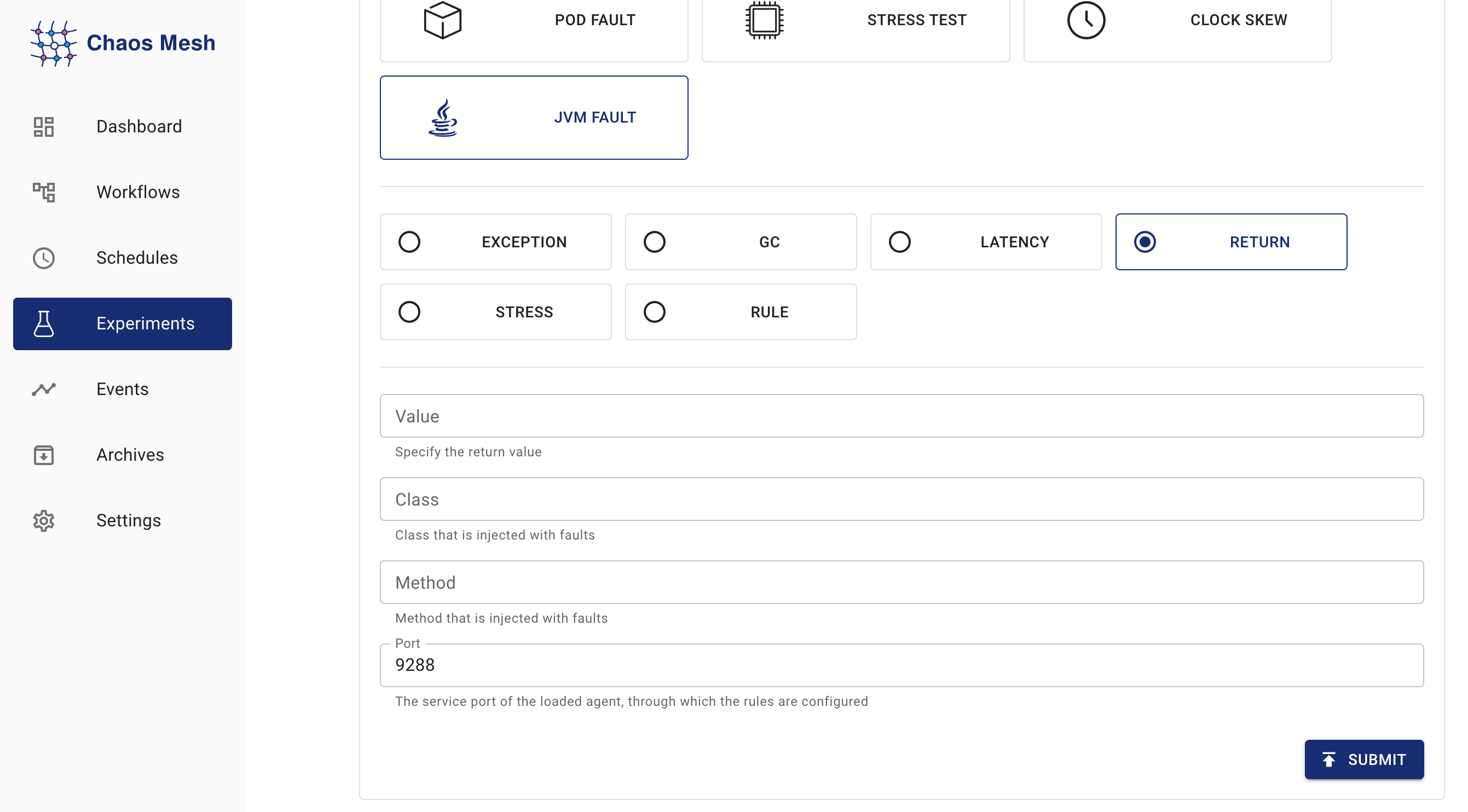
JVMChaos 实验 配置字段说明请参考 [字段说明] (#field-description)
-
填写实验信息,指定实验范围和计划实验时长。
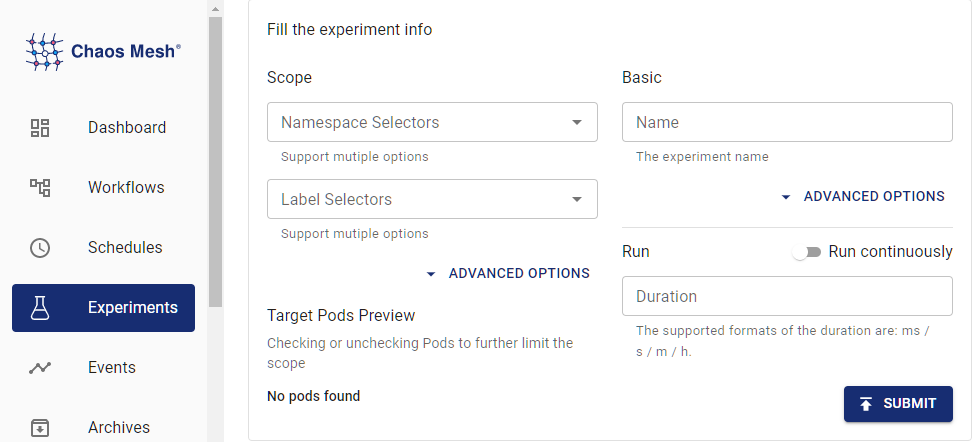
实验信息 -
提交实验信息。
使用 YAML 文件创建实验
以下示例演示 JVMChaos 的用法和效果(以修改方法返回值为例)。相关 YAML 文件可在 examples/jvm 获取。后续操作默认工作目录为 examples/jvm,Chaos Mesh 默认安装命名空间为 chaos-mesh。
步骤 1:创建目标应用
Helloworld 是一个简单的 Java 应用,本节将其作为待测试目标应用。目标应用定义在 example/jvm/app.yaml 中:
apiVersion: v1
kind: Pod
metadata:
  name: helloworld
  namespace: helloworld
spec:
  containers:
    - name: helloworld
      # source code: https://github.com/WangXiangUSTC/byteman-example/tree/main/example.helloworld
      # this application will print log like this below:
      # 0. Hello World
      # 1. Hello World
      # ...
      image: xiang13225080/helloworld:v1.0
      imagePullPolicy: IfNotPresent
-
创建目标应用命名空间:
kubectl create namespace helloworld -
构建应用 Pod:
kubectl apply -f app.yaml -
执行
kubectl -n helloworld get pods,预期在helloworld命名空间看到名为helloworld的 Pod:kubectl -n helloworld get pods结果如下:
kubectl get pods -n helloworld
NAME         READY   STATUS    RESTARTS   AGE
helloworld   1/1     Running   0          2m
当
READY列显示为1/1后,继续下一步操作。
步骤 2:注入故障前观察应用行为
您可以在注入故障前观察 helloworld 应用的行为,例如:
kubectl -n helloworld logs -f helloworld
结果如下:
0. Hello World
1. Hello World
2. Hello World
3. Hello World
4. Hello World
5. Hello World
可见 helloworld 每秒输出一行 Hello World,且行号依次递增。
步骤 3:注入 JVMChaos 并验证
-
配置了指定返回值的 JVMChaos 示例如下:
apiVersion: chaos-mesh.org/v1alpha1
kind: JVMChaos
metadata:
  name: return
  namespace: helloworld
spec:
  action: return
  class: Main
  method: getnum
  value: '9999'
  mode: all
  selector:
    namespaces:
      - helloworld
JVMChaos 将
getnum方法的返回值修改为数字9999,这意味着helloworld输出的每行数字将固定显示为9999。 -
注入配置了指定值的 JVMChaos:
kubectl apply -f ./jvm-return-example.yaml -
检查
helloworld的最新日志:kubectl -n helloworld logs -f helloworld日志输出如下:
Rule.execute called for return_0:0
return execute
caught ReturnException
9999. Hello World
字段说明
| Parameter | Type | Description | Default value | Required | Example |
|---|---|---|---|---|---|
action | string | Indicates the specific fault type. The available fault types include latency, return, exception, stress, gc, and ruleData. | None | Yes | return |
mode | string | Indicates how to select Pod. The supported modes include one, all, fixed, fixed-percent, and random-max-percent. | None | Yes | one |
不同 action 值的含义如下:
| Value | Meaning |
|---|---|
latency | Increase method latency |
return | Modify return values of a method |
exception | Throw custom exceptions |
stress | Increase CPU usage of Java process, or cause memory overflow (support heap overflow and stack overflow) |
gc | Trigger garbage collection |
ruleData | Trigger faults by setting Byteman configuration files |
对于不同的 action 值,可配置的参数项也有所不同。
latency 参数
| Parameter | Type | Description | Required |
|---|---|---|---|
class | string | The name of the Java class | Yes |
method | string | The name of the method | Yes |
latency | int | The duration of increasing method latency. The unit is millisecond. | Yes |
port | int | The port ID attached to the Java process agent. The faults are injected into the Java process through this ID. | No |
return 参数
| Parameter | Type | Description | Required |
|---|---|---|---|
class | string | The name of the Java class | Yes |
method | string | The name of the method | Yes |
value | string | Specifies the return value of the method. Currently, the item can be numeric and string types. If the item (return value) is string, double quotes are required, like "chaos". | Yes |
port | int | The port ID attached to the Java process agent. The faults are injected into the Java process through this ID. | No |
exception 参数
| Parameter | Type | Description | Required |
|---|---|---|---|
class | string | The name of the Java class | Yes |
method | string | The name of the method | Yes |
exception | string | The thrown custom exception, such as 'java.io.IOException("BOOM")'. | Yes |
port | int | The port ID attached to the Java process agent. The faults are injected into the Java process through this ID. | No |
stress 参数
| Parameter | Type | Description | Required |
|---|---|---|---|
cpuCount | int | The number of CPU cores used for increasing CPU stress. You must configure one item between cpu-count and mem-type. | No |
memType | string | The type of OOM. Currently, both 'stack' and 'heap' OOM types are supported. You must configure one item between cpu-count and mem-type. | No |
port | int | The port ID attached to the Java process agent. The faults are injected into the Java process through this ID. | No |
gc 参数
| Parameter | Type | Description | Required |
|---|---|---|---|
port | int | The port ID attached to the Java process agent. The faults are injected into the Java process through this ID. | No |
ruleData 参数
| Parameter | Type | Description | Required |
|---|---|---|---|
ruleData | string | Specifies the Byteman configuration data | Yes |
port | int | The port ID attached to the Java process agent. The faults are injected into the Java process through this ID. | No |
编写规则配置文件时,请考虑具体 Java 程序的特点及 byteman 规则语言规范,例如:
RULE modify return value
CLASS Main
METHOD getnum
AT ENTRY
IF true
DO
    return 9999
ENDRULE
需要将配置文件中的换行符转义为 "\n",并将转义后的文本作为 "rule-data" 的值,如下所示:
\nRULE modify return value\nCLASS Main\nMETHOD getnum\nAT ENTRY\nIF true\nDO return 9999\nENDRULE\n"